Keep a dated backup of the prompts you rely on
Every Monday, WebRun opens Google AI Studio, reads each saved prompt in your library with its model settings, writes the text into a dated backup post in a private Slack channel, marks every prompt edited since the last run, and sends you a WhatsApp summary.
- 7-day free trial
- Under $0.01 per run
- Cancel anytime

What does WebRun do on every run?
The exact actions WebRun takes, in order - in plain language, so you can adjust anything.
-
WebRun signs in and gets to work
Opens
aistudio.google.comin a real browser with your saved login - no setup, no API keys. -
1
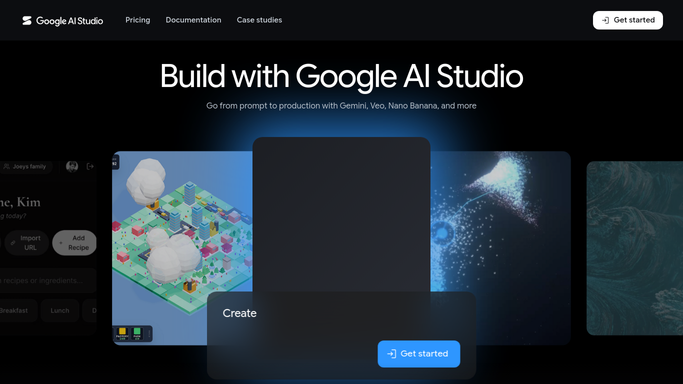
Google AI Studio - read the saved prompt library
aistudio.google.com

WebRun opens Google AI Studio to read the saved prompt library. - Open Google AI Studio and list every saved prompt in the library
- Copy the prompt text and any system instruction for each one
- Record the model selected and the settings saved with the prompt
- Note the last modified date so edits since the previous run are visible
- Read only. WebRun never runs a prompt, which would spend your quota
Done when Every saved prompt is captured with its text, model, and settings.
-
2
Slack - write the dated backup
slack.com How to Automate Slack
WebRun opens Slack to write the dated backup. - Post a dated backup to your private prompt archive channel
- Give each prompt its own block with the text, the model, and the settings
- Mark prompts added, edited, or missing since the previous backup
- Keep every week's post so any version can be compared or restored
Done when This week's backup is posted in Slack with the changes marked.
-
3
WhatsApp - summarise what changed
whatsapp.com How to Automate WhatsApp
WebRun opens WhatsApp to summarise what changed. - Send a short note with how many prompts were backed up this week
- Name the prompts that were edited and any that have disappeared
- Link the Slack backup post so the full text is one tap away
- Say plainly when nothing changed since last week
Done when You have the weekly backup summary on WhatsApp.


How do I back up my saved AI prompts and their settings?
Every Monday WebRun opens Google AI Studio, reads every saved prompt in your library along with its model settings, and copies the text into a dated backup post in Slack. It marks each prompt edited since last week and sends a WhatsApp summary, so a deleted prompt can always be restored.
- An edited or deleted prompt can be restored from a dated copy
- Prompt changes are visible week to week instead of silent
- Model settings are backed up alongside the prompt text, not separately
Built for AI teams · product managers · automation builders · agencies
How is each run configured?
Secure by default
Connect once, stays signed in
WebRun signs in once and keeps each session in a persistent environment, so every run picks up right where it left off.
Every action is checked against this policy before it runs.
Questions, answered
Will it change or delete my prompts?
No. WebRun reads the library and writes the backup elsewhere. It never edits, renames, or deletes a saved prompt, and restoring a version stays your own action.
Does it spend my API quota?
No. It reads the saved prompt text and settings without running any of them, so no tokens are used and your usage limits are untouched.
Where does the backup live?
In a private Slack channel your team already controls, one dated post per week. Keeping every week means any prompt can be compared with an older version or restored.
Related templates
Put this on autopilot.
Turn it on in minutes - or have our team set it up for you.