Catch racers with no signed waiver before they hit the grid
Through race day, WebRun reads the RaceFacer session manager, matches each booked driver against the signed waiver records, and posts staff a short Slack list of anyone missing a waiver for a session starting soon, so the desk can catch them before they reach the grid.
- No credit card
- Under $0.01 per run
- Cancel anytime
What does WebRun do on every run?
The exact actions WebRun takes, in order - in plain language, so you can adjust anything.
-
WebRun signs in and gets to work
Opens
www.racefacer.com/enin a real browser with your saved login - no setup, no API keys. -
1
RaceFacer - match bookings to waivers
racefacer.com How to Automate RaceFacer

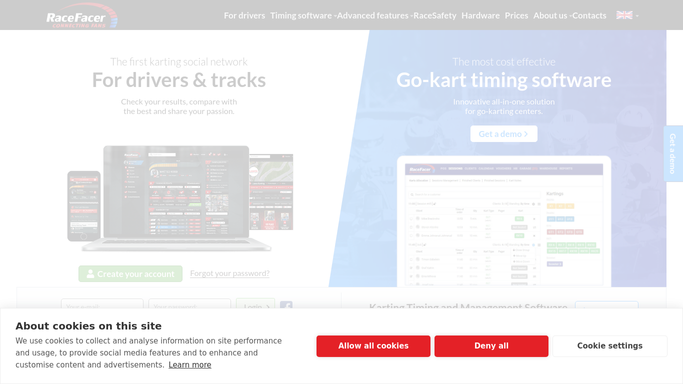
WebRun opens RaceFacer to match bookings to waivers. - Open the RaceFacer session manager and list drivers booked into sessions starting soon
- Check each driver against the signed waiver records on file
- Capture any driver with a missing, expired, or unsigned waiver, plus their session time
Done when Every unsigned driver for an upcoming session is identified.
-
2
Slack - post the unsigned list
slack.com How to Automate Slack
WebRun opens Slack to post the unsigned list. - Post a short list to the track operations channel of drivers still missing a waiver
- Show each driver's name and the session or heat time they are booked into
- Put the soonest sessions first so the desk can act right away
Done when Staff have an up-to-date list of unsigned racers in Slack.

How do I catch go-kart racers who have not signed a waiver?
WebRun catches racers with no signed waiver. Every few minutes on race day it reads the RaceFacer session manager, matches each booked driver against your signed waiver records, and posts your staff a Slack list of anyone missing a waiver for a session starting soon, ordered by how soon they race.
- No racer reaches the grid without a signed waiver on file
- Staff see waiver gaps for upcoming sessions in real time
- Fewer scrambles at the desk moments before a heat
Built for go-kart tracks · karting centers · track managers · front-desk teams
How is each run configured?
Secure by default
Connect once, stays signed in
WebRun signs in once and keeps each session in a persistent environment, so every run picks up right where it left off.
Every action is checked against this policy before it runs.
Questions, answered
Does it contact the racers directly?
No. WebRun only posts an internal Slack list for your staff. Your team decides how to chase each signature at the desk, so nothing goes to the racer automatically.
How does it know who has signed?
WebRun matches each booked driver in RaceFacer against your signed waiver records, so only drivers with a missing, expired, or unsigned waiver land on the list.
How current is the list?
It refreshes every few minutes from the live RaceFacer session manager, so anyone who signs at the desk drops off the list on the next run.
Related templates
Put this on autopilot.
Turn it on in minutes - or have our team set it up for you.