Remind racers before their heat so they show up on time
Through the day, WebRun watches the RaceFacer session manager for heats starting soon, and for each booked driver it drafts a short, friendly reminder text with the heat time and gate, then queues it in Twilio for a staff member to release so it never sends unchecked.
- No credit card
- Under $0.01 per run
- Cancel anytime
What does WebRun do on every run?
The exact actions WebRun takes, in order - in plain language, so you can adjust anything.
-
WebRun signs in and gets to work
Opens
www.racefacer.com/enin a real browser with your saved login - no setup, no API keys. -
1
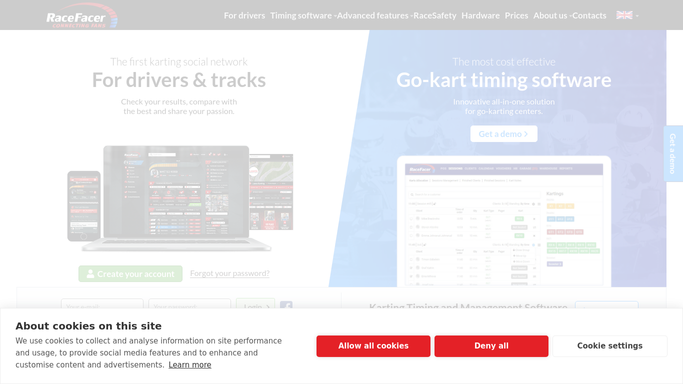
RaceFacer - find heats starting soon
racefacer.com How to Automate RaceFacer

WebRun opens RaceFacer to find heats starting soon. - Open the RaceFacer session manager and look at heats starting within the reminder window
- Capture each booked driver's name, mobile number, heat time, and grid or gate
- Skip drivers who have already checked in at the desk
Done when Every driver in an upcoming heat is listed with a mobile number.
-
2
Twilio - queue the reminder texts
twilio.com How to Automate Twilio
WebRun opens Twilio to queue the reminder texts. - Draft a short reminder text for each driver with the heat time and where to check in
- Queue the messages in Twilio rather than sending them
- Leave the queue for a staff member to review and release, so no text goes out on its own
Done when Reminder texts are queued in Twilio awaiting staff release.

How do I automatically remind go-kart racers before their heat?
WebRun reminds racers before their heat. Every few minutes it scans the RaceFacer session manager for heats starting soon, and for each booked driver it drafts a short reminder text with the time and check-in point, queued in Twilio for your staff to release, so fewer racers miss their grid.
- Fewer racers miss their heat or hold up the grid
- Reminders drafted per driver without staff typing each text
- Every message reviewed before it leaves the building
Built for go-kart tracks · karting centers · race directors · front-desk teams
How is each run configured?
Secure by default
Connect once, stays signed in
WebRun signs in once and keeps each session in a persistent environment, so every run picks up right where it left off.
Every action is checked against this policy before it runs.
Questions, answered
Will it text racers automatically?
No. WebRun drafts each reminder and queues it in Twilio. A staff member reviews the queue and releases the messages, so nothing reaches a driver without a human approving it first.
How far ahead does the reminder go out?
You choose the window, for example 30 minutes before the heat. WebRun only drafts reminders for drivers whose heat falls inside that window on the live RaceFacer schedule.
Does it skip drivers who already arrived?
Yes. WebRun checks the live RaceFacer check-in status each run, so anyone already at the desk is left out of the reminder queue.
Related templates
Put this on autopilot.
Turn it on in minutes - or have our team set it up for you.