Score your GoHighLevel pipeline every week
Every Monday, WebRun opens GoHighLevel, pulls the past week's new leads, opportunity stage conversion, and campaign performance across the pipeline, and posts a scorecard to Slack with a copy to Telegram so the agency team starts the week with the same numbers.
- No credit card
- Under $0.01 per run
- Cancel anytime
How do I get a weekly GoHighLevel pipeline scorecard?
WebRun opens GoHighLevel every Monday, pulls the past week's new leads, opportunity stage conversion, and campaign performance across your pipeline, and posts a scorecard to Slack with a copy to Telegram, so your agency team starts the week aligned on the same numbers instead of pulling separate reports.
- The whole team sees the same pipeline numbers every Monday
- No more manually exporting GoHighLevel reports
- Week over week trends are visible at a glance
Built for marketing agencies · GoHighLevel resellers · sales teams
What does WebRun do on every run?
The exact actions WebRun takes, in order - in plain language, so you can adjust anything.
-
WebRun signs in and gets to work
Opens
app.gohighlevel.comin a real browser with your saved login - no setup, no API keys. -
1
GoHighLevel - pull pipeline and campaign stats
gohighlevel.com
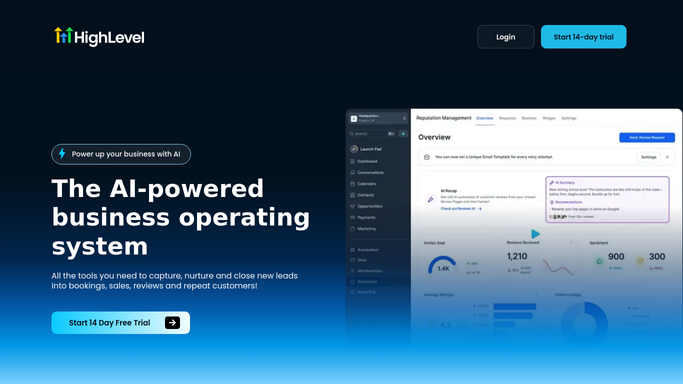
WebRun opens GoHighLevel to pull pipeline and campaign stats. - Open GoHighLevel and review the pipeline for the past 7 days
- Record new leads, stage-to-stage conversion, and won opportunities
- Pull campaign send and response numbers for the same period
Done when This week's pipeline and campaign numbers are captured.
-
2
Slack - post the scorecard
slack.com How to Automate Slack

WebRun opens Slack to post the scorecard. - Open the team channel in Slack
- Post the weekly scorecard with leads, conversion, and campaign numbers
- Compare this week's totals to last week's for context
Done when This week's scorecard is posted to Slack.
-
3
Telegram - share a copy with the team
telegram.org How to Automate Telegram

WebRun opens Telegram to share a copy with the team. - Open the team group in Telegram
- Share the same scorecard summary
- Keep the format short enough to read on mobile
Done when The team has the scorecard in Telegram as well as Slack.
How is each run configured?
Secure by default
Connect once, stays signed in
WebRun signs in once and keeps each session in a persistent environment, so every run picks up right where it left off.
Every action is checked against this policy before it runs.
Questions, answered
Does it change anything in my GoHighLevel pipeline?
No. WebRun only reads pipeline and campaign data to build the scorecard. It never moves a deal stage or edits a contact.
Why post to both Slack and Telegram?
So every teammate sees it wherever they actually check messages, agencies often split between the two for client versus internal channels.
Can it compare multiple sub-accounts?
It reports on the GoHighLevel account it's connected to. Add it separately to another sub-account if you need its own scorecard too.
Related templates
Put this on autopilot.
Turn it on in minutes - or have our team set it up for you.