Never leave an important email unanswered
Every afternoon, WebRun opens Gmail, finds threads where the last message came from someone else and no reply has gone out for more than a day, ranks them by who sent them and how long they have waited, sends you the list on WhatsApp, and blocks a reply slot in Google Calendar big enough to clear it.
- No credit card
- Under $0.01 per run
- Cancel anytime
How do I find the emails I still have not replied to?
WebRun opens Gmail every afternoon and finds threads where the last message came from a person and no reply has gone out for more than a day. It ranks them by waiting time, sends you the list on WhatsApp, and blocks a reply slot in Google Calendar sized to clear the backlog.
- Customers stop waiting more than a day for a first reply
- The waiting list arrives on WhatsApp without opening the inbox
- Reply time is held on the calendar instead of squeezed in
Built for founders · consultants · account managers · customer-facing teams · busy inboxes
What does WebRun do on every run?
The exact actions WebRun takes, in order - in plain language, so you can adjust anything.
-
WebRun signs in and gets to work
Opens
mail.google.comin a real browser with your saved login - no setup, no API keys. -
1
Gmail - find threads waiting on a reply
mail.google.com How to Automate Gmail
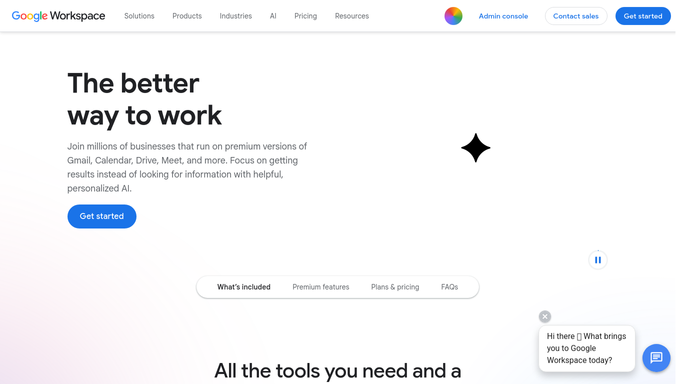
WebRun opens Gmail to find threads waiting on a reply. - Open Gmail and search the inbox for threads from the last 14 days
- Keep only threads where the most recent message came from someone else
- Drop anything older than 24 hours that you have already replied to elsewhere in the thread
- Ignore newsletters, notifications, and automated senders
- Capture the sender, the subject, the first line, and how many hours the thread has waited
- Rank the list by waiting time, putting known customers and named VIP senders at the top
Done when Every thread genuinely waiting on your reply is listed with its sender and waiting time.
-
2
WhatsApp - send you the waiting list
whatsapp.com How to Automate WhatsApp

WebRun opens WhatsApp to send you the waiting list. - Send yourself a short WhatsApp message listing the waiting threads, longest wait first
- Give each line the sender, the subject, and the hours waited
- Mark threads from customers or VIP senders so they stand out
- Keep the message to the top ten and state how many more are behind them
Done when You have today's waiting list on WhatsApp.
-
3
Google Calendar - block time to clear it
calendar.google.com How to Automate Google Calendar

WebRun opens Google Calendar to block time to clear it. - Find the next free gap in your calendar of at least 30 minutes
- Create a private reply block sized to the number of threads waiting
- Put the list in the event description so the work is in front of you when the block starts
- Leave the event without guests. WebRun never invites anyone else to your reply block
- Skip the block entirely on days when nothing is waiting
Done when A reply block is held in your calendar with today's waiting list attached.
How is each run configured?
Secure by default
Connect once, stays signed in
WebRun signs in once and keeps each session in a persistent environment, so every run picks up right where it left off.
Every action is checked against this policy before it runs.
Questions, answered
Will it reply to my email for me?
No. WebRun reads the inbox and reports who is waiting. It never sends a reply, never archives a thread, and never marks anything as read, so every message reaches you exactly as the sender left it.
How does it avoid flagging newsletters and alerts?
It skips bulk senders, no-reply addresses, and automated notifications, and keeps only threads whose last message came from a person. You can add senders and labels to the ignore list at any time.
Is my email content sent anywhere?
Only to you. The WhatsApp list goes to your own number and shows the sender, subject, and first line, and the calendar block sits on your own calendar with no guests, so nothing leaves your hands.
Related templates
Put this on autopilot.
Turn it on in minutes - or have our team set it up for you.