Upsell firewood and hot tub add-ons before arrival
Every morning, WebRun opens GlampManager, finds bookings arriving in the next few days, checks which add-ons each guest has not yet bought, drafts a tempting Mailchimp email offering firewood, a hot tub session, or a breakfast hamper with a Stripe payment link, and leaves it for you to approve.
- No credit card
- Under $0.01 per run
- Cancel anytime
What does WebRun do on every run?
The exact actions WebRun takes, in order - in plain language, so you can adjust anything.
-
WebRun signs in and gets to work
Opens
www.glampmanager.comin a real browser with your saved login - no setup, no API keys. -
1
GlampManager - find stays missing add-ons
glampmanager.com How to Automate GlampManager

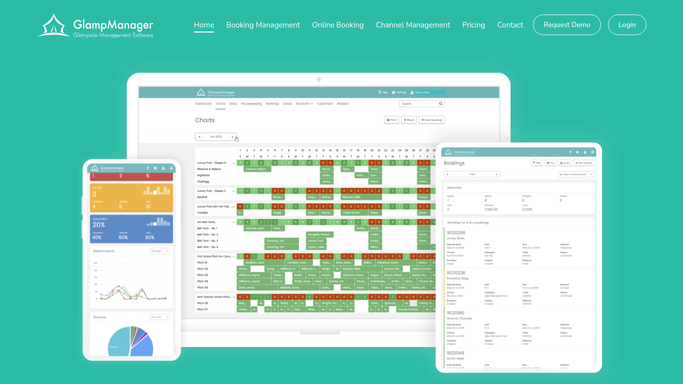
WebRun opens GlampManager to find stays missing add-ons. - Open GlampManager and filter bookings to arrivals in the next 5 days
- For each, read which extras such as firewood, hot tub, or hampers are already booked
- Capture the guest, pod, dates, and the add-ons not yet taken
- Skip guests who have already bought the relevant extras
Done when Every upcoming stay is listed with the add-ons it is still missing.
-
2
Mailchimp - draft an add-on offer
mailchimp.com How to Automate Mailchimp
WebRun drafts the add-on offer in Mailchimp. - Draft a warm pre-arrival email in Mailchimp for each guest
- Feature only the add-ons they have not booked, such as firewood or a hot tub session
- Keep it inviting and seasonal, framed as making their stay special
- Save the campaign as a draft and leave it unsent for your review
Done when A personalized add-on offer is drafted for every eligible guest.
-
3
Stripe - create add-on payment links
stripe.com How to Automate Stripe
WebRun creates the add-on payment links in Stripe. - Open Stripe and create a payment link for each offered add-on
- Price each link to your published add-on rate
- Label links by add-on and guest so purchases are easy to reconcile
- Paste the matching links into each draft offer
Done when Every offered add-on has a correctly priced Stripe payment link in the draft.


How do I upsell glamping add-ons before guests arrive automatically?
Every morning, WebRun opens GlampManager, finds stays arriving soon, and checks which add-ons each guest has not booked. It drafts a tempting Mailchimp email offering firewood, a hot tub session, or a hamper with a matching Stripe link, then leaves it unsent. You approve every offer, so guests only ever hear from you once you have signed off.
- Add-on revenue rises because every stay gets a tailored pre-arrival offer
- Guests are only offered extras they have not already bought
- Each offer carries a working Stripe link so buying takes one tap
Built for glamping site owners · glampsite managers · campsite operators · holiday park hosts
How is each run configured?
Secure by default
Connect once, stays signed in
WebRun signs in once and keeps each session in a persistent environment, so every run picks up right where it left off.
Every action is checked against this policy before it runs.
Questions, answered
Will it email guests an offer without my approval?
No. WebRun drafts each upsell as a Mailchimp campaign and leaves it unsent. You review the offer and send yourself, so no promotional email reaches a guest without a human check first.
Will it offer add-ons a guest already bought?
No. WebRun reads each booking's existing extras in GlampManager and features only the add-ons not yet taken, so a guest who already booked the hot tub is offered firewood or a hamper instead.
Does it charge the card for the add-on?
No. WebRun never charges a card. It creates a Stripe payment link at your published rate and drops it into the offer, so the guest chooses to buy the extra through Stripe if they want it.
Related templates
Put this on autopilot.
Turn it on in minutes - or have our team set it up for you.