Track pod and bell tent turnover cleaning status
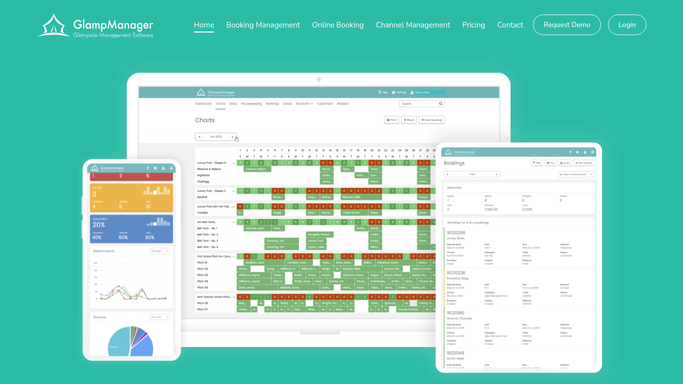
Every morning, WebRun opens GlampManager, reads which pods and bell tents have a checkout and an arrival today, builds a turnover cleaning board in a Google Sheet with the priority order, and posts the list to your housekeeping team on Telegram so every unit is ready before the next guest.
- No credit card
- Under $0.01 per run
- Cancel anytime
What does WebRun do on every run?
The exact actions WebRun takes, in order - in plain language, so you can adjust anything.
-
WebRun signs in and gets to work
Opens
www.glampmanager.comin a real browser with your saved login - no setup, no API keys. -
1
GlampManager - read today's turnovers
glampmanager.com How to Automate GlampManager

WebRun reads today's turnovers in GlampManager. - Open GlampManager and list today's checkouts and today's arrivals per unit
- Mark each pod or bell tent as a same-day turnover, a checkout only, or a rest day
- Capture the checkout time and next arrival window for each unit
- Note any unit flagged for a deep clean or a maintenance issue
Done when Every unit has a turnover status and its checkout and arrival times.
-
2
Google Sheets - build the cleaning board
google.com How to Automate Google Sheets
WebRun builds the turnover cleaning board in Google Sheets. - Open the Turnover Board sheet
- Add a row per unit with its status, checkout time, and next arrival window
- Sort so same-day turnovers with the earliest next arrival sit at the top
- Add a clean status column the team can tick as each unit is finished
Done when The board lists every unit in priority order with a clean status column.
-
3
Telegram - post the turnover list
telegram.org How to Automate Telegram
WebRun posts the turnover list to Telegram. - Post the day's turnover list to the housekeeping Telegram group
- Lead with the urgent same-day turnovers and their arrival windows
- Note any deep clean or maintenance flag against the relevant unit
- Link to the Turnover Board sheet for the full running list
Done when The housekeeping team has today's prioritized turnover list in Telegram.


How do I track glamping pod and bell tent turnover cleaning automatically?
Every morning, WebRun opens GlampManager, reads which pods and bell tents have a checkout and an arrival today, and builds a turnover cleaning board in a Google Sheet ranked by the next arrival window. It posts the prioritized list to your housekeeping team on Telegram, so every unit is cleaned and ready before the next guest walks in.
- Every same-day turnover is cleaned before the next guest arrives
- Housekeeping opens Telegram to a ranked list, not a guessing game
- Deep clean and maintenance flags travel with each unit onto the board
Built for glamping site owners · glampsite managers · housekeeping teams · holiday park hosts
How is each run configured?
Secure by default
Connect once, stays signed in
WebRun signs in once and keeps each session in a persistent environment, so every run picks up right where it left off.
Every action is checked against this policy before it runs.
Questions, answered
Does it message guests at all?
No. This workflow is purely internal. WebRun builds a cleaning board and posts it to your housekeeping team on Telegram, so no guest is ever contacted by this run.
How does it decide the cleaning order?
It ranks same-day turnovers by their next arrival window, so units with a guest arriving soonest are cleaned first, while checkout-only units and rest days fall lower down the list.
Can it flag units needing a deep clean or a repair?
Yes. WebRun carries any deep clean or maintenance flag from GlampManager onto the board and into the Telegram post, so the team knows which units need extra time or a fix before the next stay.
Related templates
Put this on autopilot.
Turn it on in minutes - or have our team set it up for you.