Offer reschedules or refunds on a weather closure
When you mark closure dates for a storm or flood, WebRun opens GlampManager, lists every booking that overlaps those dates, drafts a caring Gmail message to each guest offering a reschedule or a refund, and prepares a matching Stripe refund list, leaving all emails and refunds queued for you to approve.
- No credit card
- Under $0.01 per run
- Cancel anytime
What does WebRun do on every run?
The exact actions WebRun takes, in order - in plain language, so you can adjust anything.
-
WebRun signs in and gets to work
Opens
www.glampmanager.comin a real browser with your saved login - no setup, no API keys. -
1
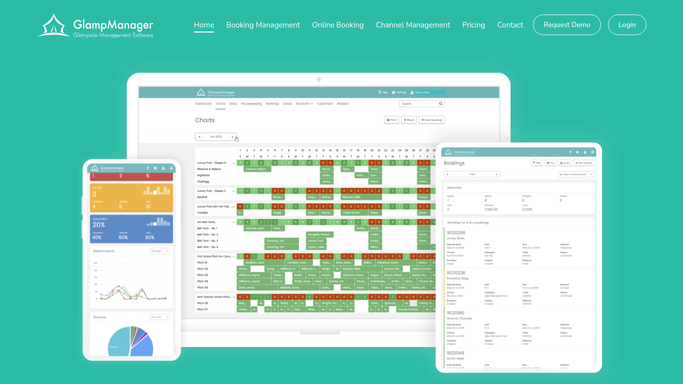
GlampManager - list bookings hit by the closure
glampmanager.com How to Automate GlampManager

WebRun lists the bookings hit by the closure in GlampManager. - Open GlampManager and read the closure dates you have flagged
- List every booking whose stay overlaps the closed dates
- Capture guest, email, pod, dates, and amount paid for each
- Note whether each guest paid a deposit or the full balance
Done when Every booking affected by the closure is listed with amounts paid.
-
2
Gmail - draft reschedule or refund offers
gmail.com How to Automate Gmail
WebRun drafts the reschedule or refund offers in Gmail. - Draft a warm, apologetic email to each affected guest explaining the closure
- Offer a choice of new dates to reschedule or a full refund
- Keep the tone caring and reassuring, never dismissive
- Save each as a draft and leave it unsent for your review
Done when A reschedule or refund offer email is drafted for every affected guest.
-
3
Stripe - prepare refunds for approval
stripe.com How to Automate Stripe
WebRun prepares the refunds in Stripe for your approval. - Open Stripe and locate the original payment for each affected booking
- Prepare a refund for the exact amount paid, matched to each guest
- Do not issue any refund; leave each queued and clearly labelled
- Compile a refund list showing guest, amount, and booking reference
Done when A refund is prepared but not issued for every affected booking, listed for approval.


How do I offer glamping guests reschedules or refunds after a weather closure?
When you flag a weather closure, WebRun lists every GlampManager booking overlapping the closed dates, drafts a caring Gmail message offering each guest a reschedule or a refund, and prepares a matching Stripe refund list. Nothing is sent or refunded on its own, so you approve every message and every refund before a guest is contacted or paid.
- Every affected guest gets a caring offer drafted within minutes of a closure
- Refunds are prepared and totalled for you, but never issued without approval
- No affected booking is missed because every overlapping stay is matched
Built for glamping site owners · glampsite managers · campsite operators · holiday park hosts
How is each run configured?
Secure by default
Connect once, stays signed in
WebRun signs in once and keeps each session in a persistent environment, so every run picks up right where it left off.
Every action is checked against this policy before it runs.
Questions, answered
Will it refund guests without my approval?
No. WebRun prepares each refund in Stripe but never issues it. You review the refund list and release each one yourself, so no money leaves your account without a human decision.
Will it email guests about the closure on its own?
No. Every closure email is drafted in Gmail and left unsent. You read the wording, adjust the offer, and send yourself, so guests only hear from you once you have approved the message.
How does it know which bookings the closure affects?
It reads the closure dates you flag and matches every booking in GlampManager whose stay overlaps them, so only guests genuinely affected by the closed dates are included in the offers.
Related templates
Put this on autopilot.
Turn it on in minutes - or have our team set it up for you.