Write the docs pages readers keep searching for
Every Monday, WebRun opens GitBook, reads the search queries readers ran in your docs over the last week, keeps the ones that returned few or no results, opens a Trello card for each content gap ranked by search volume, and texts you the top three.
- No credit card
- Under $0.01 per run
- Cancel anytime
How do I find the documentation pages my readers cannot find?
Every Monday WebRun opens GitBook, reads the search queries readers typed into your docs over the last week, and picks out the ones that returned few or no results. It opens a Trello card per content gap, ranked by how often the search was run, and texts you the top three.
- The writing queue is built from questions readers actually asked
- The most searched gap is at the top of the board every Monday
- Repeat gaps accumulate on one card instead of cluttering the board
Built for technical writers · developer relations · product teams · support leads
What does WebRun do on every run?
The exact actions WebRun takes, in order - in plain language, so you can adjust anything.
-
WebRun signs in and gets to work
Opens
gitbook.comin a real browser with your saved login - no setup, no API keys. -
1
GitBook - read last week's search queries
gitbook.com
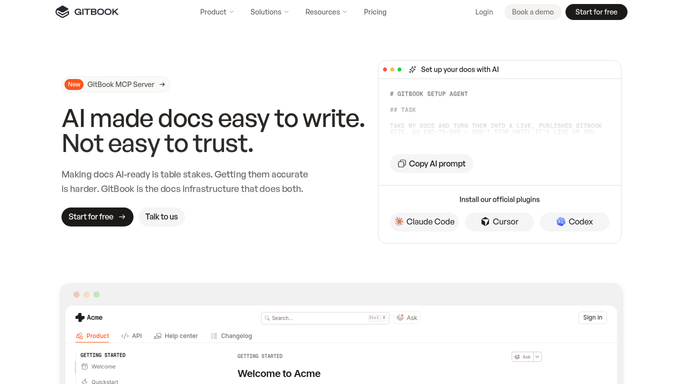
WebRun opens GitBook to read last week's search queries. - Open GitBook and go to the insights for each published space
- Read the search queries from the last 7 days with how often each was run
- Keep the queries that returned no results or only weak matches
- Group near-identical wordings so one card covers the whole question
- Note which space and which existing pages the readers landed on instead
Done when Last week's failing searches are grouped and ranked by how often they were run.
-
2
Trello - open a card per content gap
trello.com How to Automate Trello

WebRun opens Trello to open a card per content gap. - Create a card per content gap, titled with the question readers asked
- Put the search count, the space, and the wordings people used on the card
- Order the list so the most searched gap sits at the top
- Add the count to an existing card instead of duplicating it when the gap repeats
Done when Every content gap has a Trello card ranked by search volume.
-
3
Twilio - text you the top gaps
twilio.com How to Automate Twilio

WebRun opens Twilio to text you the top gaps. - Text the docs owner the three most searched questions with no good answer
- Include the search count for each so the priority is obvious
- Skip the text on a week with no new gaps
- Never publish or edit a page. WebRun proposes the work, writers do it
Done when The docs owner has this week's top three gaps by text.
How is each run configured?
Secure by default
Connect once, stays signed in
WebRun signs in once and keeps each session in a persistent environment, so every run picks up right where it left off.
Every action is checked against this policy before it runs.
Questions, answered
Will it write or publish pages itself?
No. WebRun opens a Trello card describing the gap and the question readers asked. Writing and publishing the page stays with your docs team.
How does it know a search failed?
It keeps the queries that returned no results or only weak matches, then groups near-identical wordings so one card covers the whole question rather than five variants.
Does it work across several spaces?
Yes. It reads insights for every published space you list and records the space on each card, so a gap in the API docs is not confused with one in the guides.
Related templates
Put this on autopilot.
Turn it on in minutes - or have our team set it up for you.