See which coating jobs actually made money
Every Monday, WebRun opens CoatingOS, gathers last week's completed coating jobs with their revenue and logged materials and labor, reconciles the cost side against QuickBooks, works out the margin on each job, and posts you a ranked profitability digest in Slack.
- No credit card
- Under $0.01 per run
- Cancel anytime
What does WebRun do on every run?
The exact actions WebRun takes, in order - in plain language, so you can adjust anything.
-
WebRun signs in and gets to work
Opens
app.coatingos.comin a real browser with your saved login - no setup, no API keys. -
1
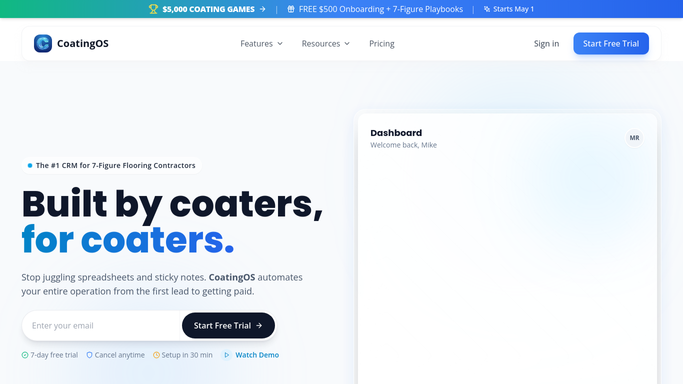
CoatingOS - gather job revenue and costs
coatingos.com How to Automate CoatingOS

WebRun opens CoatingOS to gather each job's revenue and costs. - Open CoatingOS and list coating jobs completed in the last week
- Capture each job's contract revenue, logged materials, and crew hours
- Note the coating system and square footage for context
Done when Every completed job has its revenue, materials, and labor captured.
-
2
QuickBooks - reconcile expenses
- Open QuickBooks and match each job to its recorded expenses and payroll
- Reconcile material and labor costs so the numbers agree with the books
- Flag any job whose costs in CoatingOS and QuickBooks do not line up
Done when Each job's true cost is reconciled against QuickBooks.
-
3
Slack - post the margin digest
slack.com How to Automate Slack
WebRun posts the weekly per-job margin digest to Slack. - Calculate gross margin per job and for the week overall
- Post a ranked digest to Slack with the most and least profitable jobs first
- Call out any job that lost money or had a large cost mismatch
Done when You have this week's per-job margin digest in Slack.

How do I see the profit margin on each coating job every week?
WebRun shows you which coating jobs made money. Every Monday it gathers last week's completed jobs from CoatingOS with their revenue, materials, and labor, reconciles the costs against QuickBooks, calculates each job's gross margin, and posts a ranked digest to Slack with unprofitable jobs and cost mismatches flagged first.
- You know your true margin on every job by Monday morning
- Money-losing jobs get flagged instead of hiding in the average
- Cost mismatches between the field and the books surface early
Built for garage floor coating contractors · epoxy installers · coating business owners · concrete coating companies
How is each run configured?
Secure by default
Connect once, stays signed in
WebRun signs in once and keeps each session in a persistent environment, so every run picks up right where it left off.
Every action is checked against this policy before it runs.
Questions, answered
Is the margin digest safe to run unattended?
Yes. This digest only reads your CoatingOS and QuickBooks data and posts an internal summary to Slack. It changes nothing in your books and messages no customers.
How does it work out the real cost of a job?
It takes materials and crew hours from CoatingOS and reconciles them against recorded expenses and payroll in QuickBooks, so the margin reflects your actual spend, not the estimate.
What if CoatingOS and QuickBooks disagree on a cost?
It flags any job where the two do not line up and calls it out in the digest, so you can chase a missing invoice or miscoded expense.
Related templates
Put this on autopilot.
Turn it on in minutes - or have our team set it up for you.