Fill your exhibition openings with the right guests
Every morning in the week before an opening, WebRun opens Artlogic, finds invited contacts who have not responded, drafts a personalised RSVP reminder in Gmail for each, and posts your team a Slack summary of who still needs to reply.
- No credit card
- Under $0.01 per run
- Cancel anytime
What does WebRun do on every run?
The exact actions WebRun takes, in order - in plain language, so you can adjust anything.
-
WebRun signs in and gets to work
Opens
app.artlogic.netin a real browser with your saved login - no setup, no API keys. -
1
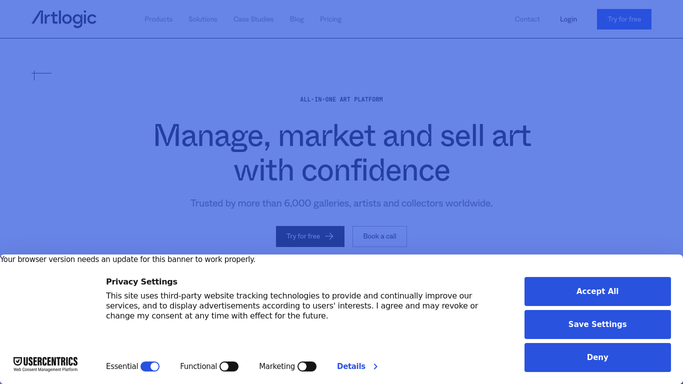
Artlogic - find invited contacts with no RSVP
artlogic.net How to Automate Artlogic

WebRun opens Artlogic to find invited contacts with no RSVP. - Open Artlogic and navigate to the upcoming exhibition event record
- Filter the invite list to contacts who have not yet responded with a confirmed or declined RSVP
- Capture each contact's name, email address, and relationship tier (VIP, collector, press, general)
- Note the event date, opening time, and venue details for use in the reminder text
Done when A list of non-responding invitees with their tier and contact details is ready for outreach.
-
2
Gmail - draft personalised RSVP reminders
gmail.com How to Automate Gmail
WebRun opens Gmail to draft personalised RSVP reminders. - Draft a personalised RSVP reminder for each non-responding contact, addressed by name
- Tailor the tone to the contact's tier, warmer and more personal for VIPs and key collectors
- Include the exhibition name, artist, opening date and time, venue address, and RSVP instructions
- Leave every email as a draft, unsent, for the gallery team to review before sending
Done when Draft RSVP reminder emails are saved in Gmail for every non-responding invitee, ready for review.
-
3
Slack - post attendance summary to team
slack.com How to Automate Slack
WebRun opens Slack to post attendance summary to team. - Post a daily attendance status update to the gallery events channel
- Show confirmed, declined, and pending counts, with days remaining until the opening
- List any VIP or key collector contacts still pending at the top for priority follow-up
Done when The team has an up-to-date attendance summary in Slack and knows which contacts need priority follow-up.


How do I automatically send RSVP reminders for my gallery exhibition openings?
Every morning in the week before an opening, WebRun checks Artlogic for invited contacts who have not responded, drafts personalised RSVP reminders in Gmail for each one, and posts your team a Slack attendance summary. VIP collectors are flagged for priority follow-up so no key guest is left uncontacted before opening night.
- Opening attendance is maximised because no invitee is forgotten before the deadline
- VIP collectors receive a personalised, timely reminder without the team manually tracking each one
- The team sees a live attendance count in Slack every morning leading up to the event
Built for art galleries · gallery events managers · gallery directors · artist liaison staff
How is each run configured?
Secure by default
Connect once, stays signed in
WebRun signs in once and keeps each session in a persistent environment, so every run picks up right where it left off.
Every action is checked against this policy before it runs.
Questions, answered
Will it send reminders to guests without anyone checking them first?
No. Every reminder is drafted in Gmail and left unsent. A team member reviews and approves each message before it goes to an invitee.
Does it treat VIP collectors differently from general guests?
Yes. It reads each contact's relationship tier in Artlogic and adjusts the tone of the draft accordingly, using a warmer, more personal register for VIPs and key collectors.
What if a contact already confirmed but Artlogic has not been updated?
It reads the live RSVP status in Artlogic each morning, so anyone marked as confirmed or declined since the last run is skipped automatically.
Related templates
Put this on autopilot.
Turn it on in minutes - or have our team set it up for you.