Confirm every service detail with the family before the day
Every morning, WebRun opens Passare, finds cases where a service is scheduled within the next 48 hours, drafts a clear service-detail confirmation for each family, queues it in Gmail for director review and approval, and posts a digest to Slack so nothing is missed.
- No credit card
- Under $0.01 per run
- Cancel anytime
What does WebRun do on every run?
The exact actions WebRun takes, in order - in plain language, so you can adjust anything.
-
WebRun signs in and gets to work
Opens
app.passare.comin a real browser with your saved login - no setup, no API keys. -
1
Passare - find upcoming services needing confirmation
passare.com How to Automate Passare

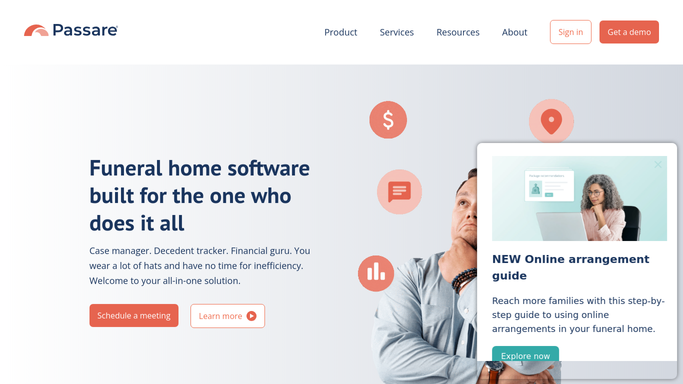
WebRun opens Passare to find upcoming services needing confirmation. - Open Passare and filter active cases for services scheduled in the next 48 hours
- Collect the full arrangement details: date, time, location, officiant, and any special requests
- Flag any cases where required details are incomplete so the director can follow up
Done when All upcoming cases have their arrangement details collected, with gaps flagged for review.
-
2
Gmail - draft service detail confirmation
gmail.com How to Automate Gmail
WebRun opens Gmail to draft service detail confirmation. - Draft a clear, warm confirmation message for the primary family contact listing all service details
- Include the date, time, venue, parking or arrival instructions, and any items the family needs to bring
- Save as a draft in Gmail. Do not send until the director has reviewed and approved the details
- If any arrangement details are incomplete, note them in the draft body so the director can complete them before sending
Done when A ready-to-review Gmail draft exists for every family with a service in the next 48 hours.
-
3
Slack - alert director to review and send
slack.com How to Automate Slack
WebRun opens Slack to alert director to review and send. - Post a daily digest listing every upcoming service, the family name, and whether a confirmation draft is waiting in Gmail
- Highlight any cases where details are still missing so they are addressed first
Done when The director has a Slack summary of all upcoming services and the status of each confirmation draft.


How do I automatically confirm service details with families before a funeral?
WebRun opens Passare each morning, finds services scheduled within 48 hours, drafts a complete service-detail confirmation for each family, and queues it in Gmail for director review. The Slack digest flags every pending draft and any missing details so nothing is overlooked before a service day.
- Families receive a clear, accurate service confirmation before every service day
- Directors catch and fix any detail gaps before the confirmation is sent
- No upcoming service slips through without a confirmation check
Built for funeral directors · arrangement coordinators · funeral home staff
How is each run configured?
Secure by default
Connect once, stays signed in
WebRun signs in once and keeps each session in a persistent environment, so every run picks up right where it left off.
Every action is checked against this policy before it runs.
Questions, answered
Will it send the confirmation to the family on its own?
No. Every confirmation is saved as a Gmail draft for the director to review and approve. Nothing is sent to a family until a human has checked the details and clicked Send.
What if arrangement details are not yet finalized in Passare?
Incomplete details are flagged in the draft message and highlighted in the Slack digest so the director knows exactly what still needs to be confirmed before the message goes out.
How far in advance does it prepare confirmations?
By default it prepares confirmations for services within the next 48 hours. You can adjust this window to 24 or 72 hours depending on your firm's workflow.
Related templates
Put this on autopilot.
Turn it on in minutes - or have our team set it up for you.