Stay in touch with grieving families after the service
Every morning, WebRun opens Passare, finds cases where the service concluded 1, 2, and 4 weeks ago, drafts a compassionate aftercare message for each family, queues them in Gmail for your review, and posts a summary to Slack so nothing falls through.
- No credit card
- Under $0.01 per run
- Cancel anytime
What does WebRun do on every run?
The exact actions WebRun takes, in order - in plain language, so you can adjust anything.
-
WebRun signs in and gets to work
Opens
app.passare.comin a real browser with your saved login - no setup, no API keys. -
1
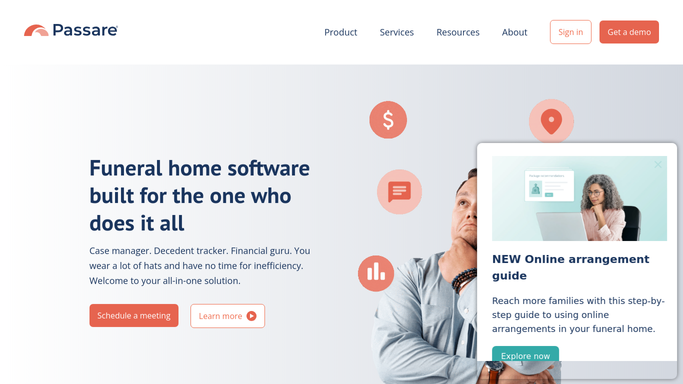
Passare - find recently concluded cases
passare.com How to Automate Passare

WebRun opens Passare to find recently concluded cases. - Open Passare and filter cases by service date to find those concluded 7, 14, and 28 days ago
- Capture the primary contact name, email, and the deceased's name for each case
- Skip any case already flagged as aftercare-complete or opted out
Done when Every eligible concluded case has a contact record ready for outreach drafting.
-
2
Gmail - draft aftercare check-in messages
gmail.com How to Automate Gmail
WebRun opens Gmail to draft aftercare check-in messages. - Draft a brief, compassionate check-in message addressed personally to the primary contact
- Reference the name of the deceased and the approximate time since the service
- Leave every draft unsent in your Gmail Drafts folder for director review and approval
- Never send any message to a family without explicit human approval
Done when A draft message exists in Gmail for every eligible family, ready for the director to review and send.
-
3
Slack - notify director for review
slack.com How to Automate Slack
WebRun opens Slack to notify director for review. - Post a concise digest listing how many aftercare drafts are waiting for review
- Include the family name, date of service, and the draft subject line for each
- Flag any family approaching the 30-day mark so they are not missed
Done when The director has a Slack summary of all pending aftercare drafts.


How do I send compassionate aftercare follow-ups to families after a funeral service?
WebRun checks Passare every morning for families whose service concluded one, two, or four weeks ago, drafts a compassionate aftercare message for each, and queues them in Gmail for a director to review and approve before anything is sent. No message ever reaches a family without human sign-off.
- Every eligible family receives a timely, personal aftercare touchpoint
- Directors review and approve every message before it is sent
- No concluded case slips past the 30-day aftercare window
Built for funeral directors · funeral home owners · mortuary staff · bereavement coordinators
How is each run configured?
Secure by default
Connect once, stays signed in
WebRun signs in once and keeps each session in a persistent environment, so every run picks up right where it left off.
Every action is checked against this policy before it runs.
Questions, answered
Will it send messages to families without my approval?
No. Every message is saved as a Gmail draft. Nothing reaches a family until a director opens the draft, reviews it, and clicks Send. WebRun will never send family-facing communications on its own.
How does it know what tone to use?
WebRun follows a compassionate, dignified voice by default. You can provide a sample message or style guide and it will match your firm's existing tone exactly.
What if a family has asked not to be contacted?
Cases flagged as opted out or aftercare-complete in Passare are skipped automatically each run, so no unwanted messages are ever drafted.
Related templates
Put this on autopilot.
Turn it on in minutes - or have our team set it up for you.