Get your weekly FreeAgent money scorecard
Every Monday morning, WebRun opens FreeAgent, reads the total outstanding invoices, the current Self Assessment tax estimate, and profit for the month, posts a scorecard to Slack, and pings Telegram only when a tax payment deadline falls within the next 7 days.
- No credit card
- Under $0.01 per run
- Cancel anytime
How do I keep a weekly eye on my FreeAgent numbers and tax deadlines?
WebRun opens FreeAgent every Monday morning, reads your outstanding invoices, current Self Assessment tax estimate, and profit for the month, and posts the three numbers to Slack as a weekly scorecard. If a tax payment falls within 7 days, it also pings Telegram so the deadline never sneaks up on you.
- Outstanding invoices and profit land in Slack every Monday without opening FreeAgent
- Tax deadlines get flagged a full week out instead of the night before
- One scorecard replaces three separate checks in FreeAgent
Built for Freelancers · contractors · small business owners · sole traders
What does WebRun do on every run?
The exact actions WebRun takes, in order - in plain language, so you can adjust anything.
-
WebRun signs in and gets to work
Opens
login.freeagent.comin a real browser with your saved login - no setup, no API keys. -
1
FreeAgent - pull invoices, tax estimate, and profit
freeagent.com
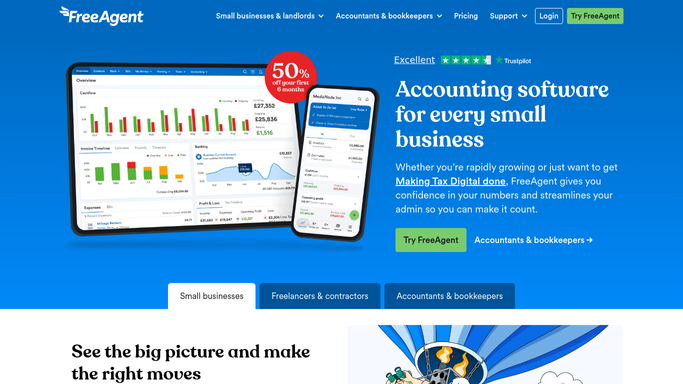
WebRun opens FreeAgent to pull invoices, tax estimate, and profit. - Open FreeAgent and total the outstanding invoices
- Read the current Self Assessment tax estimate
- Read profit and loss for the month to date
Done when Invoices, tax estimate, and profit are all captured for the week.
-
2
Slack - post the weekly scorecard
slack.com How to Automate Slack

WebRun opens Slack to post the weekly scorecard. - Post the three numbers to your Slack channel every Monday
- Compare each to last week so the trend is visible
- Keep the message short enough to read in a few seconds
Done when This week's scorecard is posted in Slack.
-
3
Telegram - alert on close tax deadlines
telegram.org How to Automate Telegram

WebRun opens Telegram to alert on close tax deadlines. - Check the next Self Assessment payment date
- Send a Telegram alert only when it falls within 7 days
- Include the amount due alongside the date
Done when A close tax deadline never arrives without warning.
How is each run configured?
Secure by default
Connect once, stays signed in
WebRun signs in once and keeps each session in a persistent environment, so every run picks up right where it left off.
Every action is checked against this policy before it runs.
Questions, answered
Does it file my tax return?
No. It only reads the Self Assessment estimate FreeAgent already calculates and reports it to you. Filing stays a decision you make yourself.
What if I have no invoices outstanding?
The scorecard still posts every Monday, it will just show zero outstanding so you know the number was actually checked.
How far ahead does the deadline alert look?
It flags any Self Assessment payment due within 7 days, so you get more than one warning before the date arrives.
Related templates
Put this on autopilot.
Turn it on in minutes - or have our team set it up for you.