Keep every pier warranty inspection on schedule
Every morning, WebRun opens Estimate Rocket, finds completed pier jobs whose warranty inspection anniversary falls in the next 30 days, prepares the annual warranty acknowledgment for that customer in DocuSign, and logs the check to a Google Sheet so every warranty stays compliant and every customer gets their free inspection offer on time.
- No credit card
- Under $0.01 per run
- Cancel anytime
What does WebRun do on every run?
The exact actions WebRun takes, in order - in plain language, so you can adjust anything.
-
WebRun signs in and gets to work
Opens
login.estimaterocket.comin a real browser with your saved login - no setup, no API keys. -
1
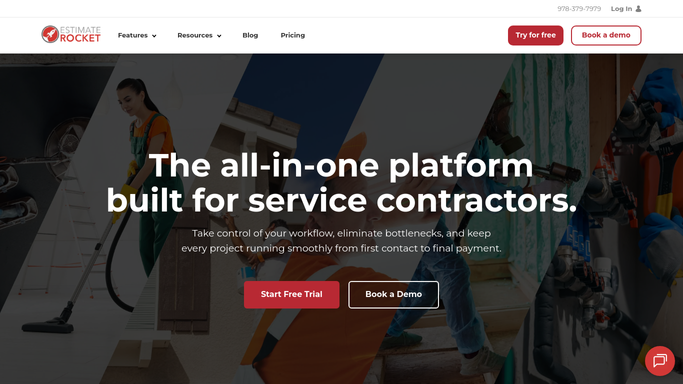
Estimate Rocket - find pier jobs hitting their warranty anniversary
estimaterocket.com How to Automate Estimate Rocket

WebRun opens Estimate Rocket to find pier jobs hitting their warranty anniversary. - Open Estimate Rocket and filter completed pier jobs by install date
- Capture jobs whose warranty inspection anniversary falls in the next 30 days
- Note the pier count, warranty terms, and customer contact for each
Done when Every job with an upcoming warranty anniversary is listed with its terms.
-
2
DocuSign - prepare the annual warranty acknowledgment
docusign.com How to Automate DocuSign
WebRun opens DocuSign to prepare the annual warranty acknowledgment. - Prepare the annual warranty acknowledgment envelope for each customer with their job and pier details filled in
- Leave every envelope in Draft status in DocuSign for your office to review and send
- Do not send any envelope out for signature on its own
Done when A ready-to-send DocuSign draft exists for every upcoming warranty anniversary.
-
3
Google Sheets - log the anniversary check for compliance
google.com How to Automate Google Sheets
WebRun opens Google Sheets to log the anniversary check for compliance. - Log each anniversary check with the customer, job, anniversary date, and DocuSign draft status
- Update the row when a prior check for that job already exists instead of duplicating it
- Flag any anniversary inside the next seven days
Done when Your warranty compliance log reflects every upcoming anniversary and its draft status.


How do I track pier warranty inspection anniversaries so no warranty lapses?
WebRun checks Estimate Rocket every morning for pier and foundation jobs approaching their warranty inspection anniversary within the next 30 days. It prepares the annual warranty acknowledgment as a draft envelope in DocuSign for your office to review and send, and logs the check to a Google Sheet, so no transferable warranty lapses from a missed inspection.
- No pier warranty lapses from a missed annual inspection
- Every anniversary gets a ready-to-send DocuSign acknowledgment 30 days out
- Warranty compliance stays logged automatically in one Google Sheet
Built for foundation repair contractors · piering and underpinning companies · warranty administrators · foundation repair office staff
How is each run configured?
Secure by default
Connect once, stays signed in
WebRun signs in once and keeps each session in a persistent environment, so every run picks up right where it left off.
Every action is checked against this policy before it runs.
Questions, answered
Will it send the warranty document without my office reviewing it?
No. Every warranty acknowledgment is prepared as a Draft envelope in DocuSign. WebRun fills in the details and readies it, but your office decides when to send it out for signature.
How far ahead does it flag an upcoming warranty anniversary?
30 days out. WebRun looks a month ahead for pier jobs approaching their inspection anniversary, and flags anything inside seven days so nothing gets missed.
What if a job's warranty was already renewed this year?
It's skipped automatically. WebRun checks the compliance log before preparing a new draft, so a job already logged as renewed this year is left off the list.
Related templates
Put this on autopilot.
Turn it on in minutes - or have our team set it up for you.