Get a weekly export of every Flagsmith flag state
Every Monday, WebRun opens Flagsmith, reviews every flag's enabled state and rollout value across development, staging, and production, exports the full list to a Google Sheet, and emails the engineering team a summary so everyone can see exactly what is live where.
- No credit card
- Under $0.01 per run
- Cancel anytime
What does WebRun do on every run?
The exact actions WebRun takes, in order - in plain language, so you can adjust anything.
-
WebRun signs in and gets to work
Opens
app.flagsmith.comin a real browser with your saved login - no setup, no API keys. -
1
Flagsmith - review flag states
flagsmith.com

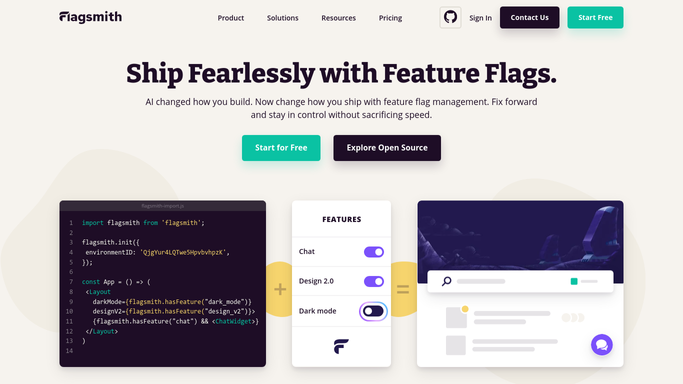
WebRun opens Flagsmith to review flag states. - Open Flagsmith and review every flag's state across development, staging, and production
- Note whether each flag is enabled and its rollout value in each environment
- Flag any environment mismatch worth calling out
Done when Every flag's state is recorded across all tracked environments.
-
2
Google Sheets - export flags by environment
google.com How to Automate Google Sheets
WebRun opens Google Sheets to export flags by environment. - Open the Flagsmith Flag State sheet
- Update a row per flag with its state in each environment
- Highlight any flag that differs between environments
Done when The sheet reflects this week's full flag state export.
-
3
Gmail - email the flag summary
gmail.com How to Automate Gmail
WebRun opens Gmail to email the flag summary. - Draft and send a weekly summary email to the engineering team
- List total active flags and call out any environment mismatches
- Link to the full Google Sheet export
Done when The engineering team has this week's flag state summary in their inbox.


How do I get a weekly export of all my Flagsmith flag states?
WebRun reviews every Flagsmith flag every Monday, recording its enabled state and rollout value across development, staging, and production, and exports the full list to a Google Sheet. It then emails engineering a summary highlighting any flag that differs between environments, so the team always has a current, complete picture of what is live where.
- Every flag's state is documented every week without a manual audit
- Environment mismatches get caught before they cause a production surprise
- Anyone can check a flag's state from the sheet instead of opening Flagsmith
Built for Engineering teams · platform engineers · release managers · product engineering leads
How is each run configured?
Secure by default
Connect once, stays signed in
WebRun signs in once and keeps each session in a persistent environment, so every run picks up right where it left off.
Every action is checked against this policy before it runs.
Questions, answered
Will WebRun change any flag's state?
No. It only reads and reports on the current state of each flag. Enabling, disabling, or changing a rollout value stays a manual action in Flagsmith.
Why export every flag instead of just the changed ones?
A full export makes the sheet a reliable source of truth on its own, so anyone can check a flag's state without opening Flagsmith.
How are environment mismatches shown?
They are highlighted directly in the sheet and called out by name in the email summary, so they are easy to spot at a glance.
Related templates
Put this on autopilot.
Turn it on in minutes - or have our team set it up for you.