Catch unwound deals that still have live F&I products attached
Every morning, WebRun opens MenuMetric, finds deals that were unwound, backed out, or returned, checks which aftermarket products are still active on them, logs each product that needs cancelling to Google Sheets, and sends the F&I office a Telegram alert so no product contract stays live on a dead deal.
- No credit card
- Under $0.01 per run
- Cancel anytime
What does WebRun do on every run?
The exact actions WebRun takes, in order - in plain language, so you can adjust anything.
-
WebRun signs in and gets to work
Opens
app.menumetric.comin a real browser with your saved login - no setup, no API keys. -
1
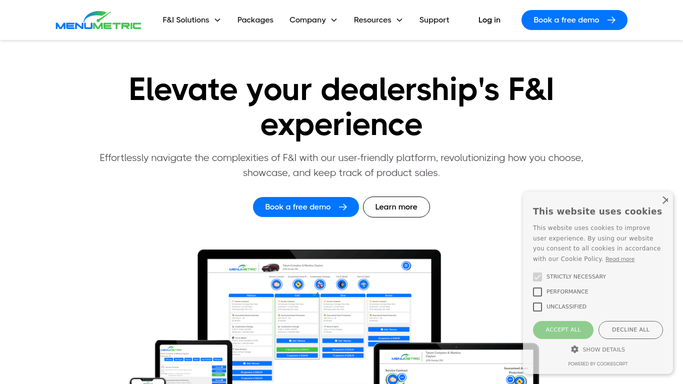
MenuMetric - find unwound deals with live products
menumetric.com How to Automate MenuMetric

WebRun opens MenuMetric to find unwound deals with live products. - Open MenuMetric and find deals marked unwound, backed out, returned, or reversed
- For each dead deal, list the aftermarket products still showing active or contracted
- Capture the deal, buyer, product, provider, and the contract number
- Note how many days the deal has been unwound while products stayed live
Done when Every unwound deal with a still active product is captured with its contracts.
-
2
Google Sheets - log products needing cancellation
google.com How to Automate Google Sheets
WebRun opens Google Sheets to log products needing cancellation. - Open the Products To Cancel sheet
- Log a row per live product on a dead deal with the deal, provider, and contract number
- Skip products already marked cancelled so nothing is listed twice
- Sort by days since the deal unwound so the most overdue cancellations surface first
Done when Every product needing cancellation is logged and sorted by how overdue it is.
-
3
Telegram - alert the F&I office
telegram.org How to Automate Telegram
WebRun opens Telegram to alert the F&I office. - Send a Telegram alert to the F&I office of products still live on unwound deals
- For each, show the deal, product, provider, contract number, and days overdue
- Put the longest live contracts first so the office cancels the most exposed ones now
Done when The F&I office has a Telegram alert of every product to cancel on a dead deal.


How do I catch F&I products still active on unwound car deals?
WebRun opens MenuMetric each morning, finds deals that were unwound or returned, and checks which aftermarket products are still active on them. It logs each product that needs cancelling to Google Sheets and sends the F&I office a Telegram alert sorted by how overdue it is, so no VSC or GAP contract stays live on a dead deal.
- No product contract stays live on a dead deal because unwound deals are checked every morning
- The office sees the most overdue cancellations first, ranked by days since the deal unwound
- Provider chargebacks and stale liability shrink because cancellations are filed promptly
Built for F&I managers · dealership controllers · office managers · F&I compliance staff
How is each run configured?
Secure by default
Connect once, stays signed in
WebRun signs in once and keeps each session in a persistent environment, so every run picks up right where it left off.
Every action is checked against this policy before it runs.
Questions, answered
Will it cancel the product contracts with the provider itself?
No. WebRun only flags which products are still live on unwound deals and alerts you in Telegram. Your F&I office reviews and files each cancellation with the provider.
How does it know a deal was unwound?
It reads the deal status in MenuMetric each morning and picks up any deal marked unwound, backed out, returned, or reversed while a product is still showing active.
What if a product was already cancelled?
It checks the product status in MenuMetric and the cancellation sheet, so anything already cancelled drops off the list and is never flagged twice.
Related templates
Put this on autopilot.
Turn it on in minutes - or have our team set it up for you.