Draft review requests for EV drivers after successful charging sessions
Every morning, WebRun pulls completed charging sessions from the past 24 hours in AMPECO, filters for drivers who have not yet been sent a review request, drafts a short and friendly outreach for each in a Mailchimp campaign draft, and logs the sent list in Google Sheets so no driver is contacted twice.
- No credit card
- Under $0.01 per run
- Cancel anytime
What does WebRun do on every run?
The exact actions WebRun takes, in order - in plain language, so you can adjust anything.
-
WebRun signs in and gets to work
Opens
go.ampeco.comin a real browser with your saved login - no setup, no API keys. -
1
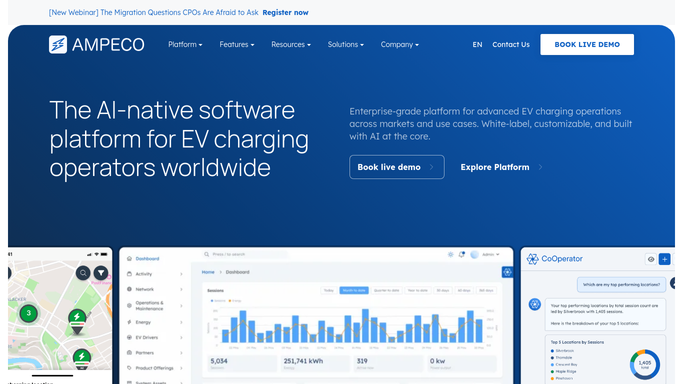
AMPECO - pull completed sessions
ampeco.com How to Automate AMPECO

WebRun opens AMPECO to pull completed sessions. - Open AMPECO and navigate to the session history view
- Filter for sessions completed in the past 24 hours with a status of Completed
- Capture the driver ID, session energy delivered, and station location for each
Done when All completed sessions from the past 24 hours have been listed with driver and location details.
-
2
Google Sheets - filter already-contacted drivers
google.com How to Automate Google Sheets
WebRun opens Google Sheets to filter already-contacted drivers. - Open the review request log sheet
- Remove any drivers already contacted within the last 90 days to avoid repeat outreach
- Log the remaining eligible drivers as pending in the sheet to prevent duplicates on future runs
Done when The driver list is deduplicated and only net-new eligible drivers remain for outreach.
-
3
Mailchimp - draft review request campaign for approval
mailchimp.com How to Automate Mailchimp
WebRun opens Mailchimp to draft review request campaign for approval. - Create a new campaign draft in Mailchimp for the eligible drivers
- Use the session location and energy details to personalise the subject line and opening line
- Save the campaign as a draft and leave it unscheduled for your team to review before sending
Done when A Mailchimp campaign draft is saved for all eligible drivers, ready for human review and scheduling.


How do I automatically draft review requests for EV drivers after successful charging sessions?
WebRun pulls completed charging sessions from AMPECO every morning, filters out drivers already contacted in the past 90 days using a Google Sheets log, and saves a personalised Mailchimp campaign draft for your team to review. Review requests are never sent automatically, so every outreach is human-approved before it reaches a driver.
- Eligible drivers from every completed session get a review request draft ready within hours
- No driver is contacted twice within the 90-day suppression window
- Team saves manual effort filtering sessions and writing personalised outreach each day
Built for EV charging network operators · charge point operators · CPO marketing teams · e-mobility customer success
How is each run configured?
Secure by default
Connect once, stays signed in
WebRun signs in once and keeps each session in a persistent environment, so every run picks up right where it left off.
Every action is checked against this policy before it runs.
Questions, answered
Will it send the review requests to drivers without my approval?
No. WebRun only creates a Mailchimp campaign draft. Your team reviews the draft and manually schedules or sends it, so no driver is contacted without a human sign-off.
How does it avoid sending the same driver a request twice?
It logs every contacted driver in Google Sheets with a timestamp and skips any driver who appears in the log from the past 90 days. The suppression window is configurable at setup.
Does it only target drivers who had a positive experience?
It filters for sessions with a Completed status in AMPECO, which means the charge finished normally. Sessions that ended in a fault or were manually stopped are excluded automatically.
Related templates
Put this on autopilot.
Turn it on in minutes - or have our team set it up for you.