Never miss a CPO contract renewal with automated reminders
Every Monday, WebRun checks DocuSign for contracts nearing their renewal date, looks up the associated CPO account in AMPECO to read session volumes and active charge points, drafts a personalised renewal email for each account coming up for renewal, and saves it in Gmail for the account manager to review and send.
- No credit card
- Under $0.01 per run
- Cancel anytime
What does WebRun do on every run?
The exact actions WebRun takes, in order - in plain language, so you can adjust anything.
-
WebRun signs in and gets to work
Opens
www.docusign.comin a real browser with your saved login - no setup, no API keys. -
1
DocuSign - find contracts nearing renewal
docusign.com How to Automate DocuSign

WebRun opens DocuSign to find contracts nearing renewal. - Open DocuSign and filter envelopes by the expiry date field for contracts renewing in the next 60 days
- Capture the account name, contract end date, contract value, and signatory contact for each
- Skip any contract already marked as Renewal In Progress
Done when Every CPO or site-host contract renewing within 60 days has been listed with its details.
-
2
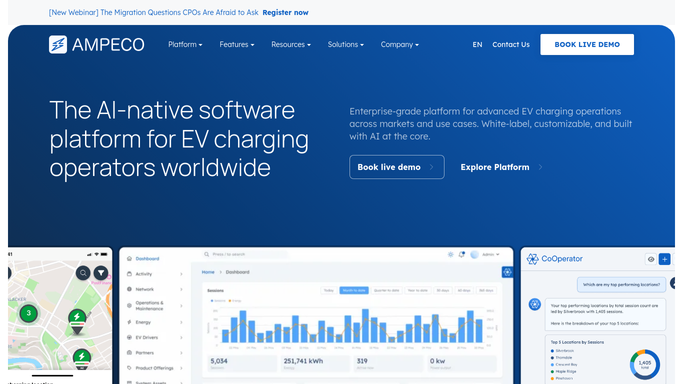
AMPECO - read account usage and charge point count
ampeco.com How to Automate AMPECO
WebRun opens AMPECO to read account usage and charge point count. - Look up the CPO account in AMPECO by company name
- Read the number of active charge points, total charging sessions in the past 90 days, and any open support tickets
- Use this data to highlight the account's usage and value in the renewal email draft
Done when Each renewing account has its AMPECO usage figures and charge point count captured for the draft.
-
3
Gmail - draft renewal email for review
gmail.com How to Automate Gmail
WebRun opens Gmail to draft renewal email for review. - Draft a professional renewal email to the contract signatory, naming the contract end date and current usage highlights
- Include the charge point count and session volume from AMPECO to remind the contact of the value delivered
- Save the email as a Gmail draft and leave it unsent for the account manager to review and personalise before sending
Done when A draft renewal email is saved in Gmail for every contract coming up for renewal within 60 days.


How can I automatically track and draft renewal emails for expiring CPO contracts?
WebRun checks DocuSign every Monday for CPO and site-host contracts renewing within 60 days, reads each account's active charge points and session volumes from AMPECO, and saves a personalised renewal email as a Gmail draft for the account manager to review. No renewal outreach is ever sent without a human sign-off, so every conversation starts on the right terms.
- No CPO contract expires without a personalised renewal draft ready for the account manager 60 days ahead
- AMPECO usage data gives account managers a concrete value story before the renewal conversation
- Renewal pipeline is visible in Gmail every Monday without manual DocuSign checking
Built for EV charging account managers · charge point operators · CPO customer success · e-mobility commercial teams
How is each run configured?
Secure by default
Connect once, stays signed in
WebRun signs in once and keeps each session in a persistent environment, so every run picks up right where it left off.
Every action is checked against this policy before it runs.
Questions, answered
Will it send renewal emails to CPO customers automatically?
No. Every renewal email is saved as a Gmail draft only. The account manager reviews, personalises if needed, and sends each one so no customer receives an automated renewal request without human oversight.
How does it know which DocuSign contracts are coming up for renewal?
It reads the expiry date field on each envelope in DocuSign and flags any contract ending within your configured window, set to 60 days by default at setup.
What AMPECO usage data is included in the draft?
Active charge point count and total charging sessions over the past 90 days. These figures help account managers remind customers of the value delivered before the renewal conversation begins.
Related templates
Put this on autopilot.
Turn it on in minutes - or have our team set it up for you.