Stay ahead of EV charging regulatory compliance deadlines automatically
Every Monday, WebRun scans your compliance deadline tracker in Google Sheets for regulatory events falling within the next 60 days, checks the affected AMPECO station count and network regions for each deadline, and posts a prioritised alert to your compliance manager in Slack so every filing, certification, or regulatory submission is on the team's radar well in advance.
- No credit card
- Under $0.01 per run
- Cancel anytime
What does WebRun do on every run?
The exact actions WebRun takes, in order - in plain language, so you can adjust anything.
-
WebRun signs in and gets to work
Opens
docs.google.com/spreadsheetsin a real browser with your saved login - no setup, no API keys. -
1
Google Sheets - scan upcoming compliance deadlines
google.com How to Automate Google Sheets

WebRun opens Google Sheets to scan upcoming compliance deadlines. - Open the compliance deadline tracker sheet
- Filter for deadlines falling within the next 60 days that have not been marked as Submitted or Completed
- Capture the regulation name, deadline date, responsible team member, and affected region for each
Done when Every open compliance deadline within 60 days has been listed with its details and owner.
-
2
AMPECO - identify affected stations and regions
ampeco.com How to Automate AMPECO
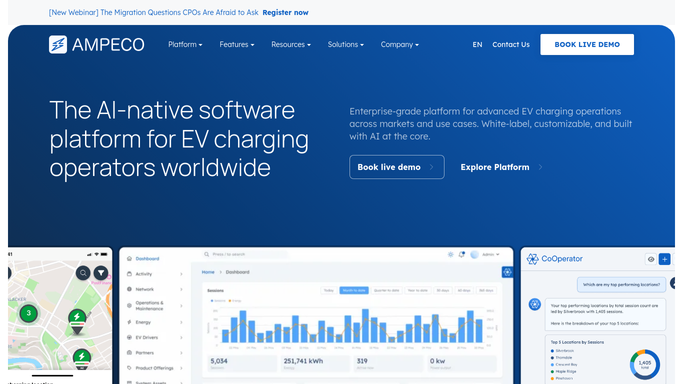
WebRun opens AMPECO to identify affected stations and regions. - Open AMPECO and filter charge points by the region listed for each compliance deadline
- Count the number of stations affected and note whether any have active fault flags that would complicate compliance reporting
- Capture any relevant AMPECO platform compliance features such as AFIR status or roaming hub connectivity for the affected region
Done when Each compliance deadline has an affected station count and region status from AMPECO.
-
3
Slack - alert compliance manager with priority list
slack.com How to Automate Slack
WebRun opens Slack to alert compliance manager with priority list. - Post a prioritised compliance alert to the compliance manager's Slack channel
- Sort deadlines by days remaining, with the closest deadline at the top
- Include the regulation name, deadline date, affected station count, owner, and any AMPECO flags for each item
Done when The compliance manager has a prioritised weekly alert in Slack covering every upcoming regulatory deadline.


How do I automatically track and flag upcoming EV charging regulatory compliance deadlines?
WebRun scans your compliance deadline tracker in Google Sheets every Monday, identifies regulatory events such as AFIR reporting or OCPP certification renewals falling within 60 days, checks the number of affected AMPECO stations by region, and posts a prioritised alert to your compliance manager in Slack so no filing or renewal deadline arrives as a surprise.
- Every regulatory deadline within 60 days is surfaced every Monday before it becomes urgent
- Affected AMPECO station counts and regions are included so the compliance team knows the scope instantly
- No filing deadline slips through because of a missed calendar entry
Built for EV network compliance managers · charge point operators · CPO regulatory teams · e-mobility legal and compliance
How is each run configured?
Secure by default
Connect once, stays signed in
WebRun signs in once and keeps each session in a persistent environment, so every run picks up right where it left off.
Every action is checked against this policy before it runs.
Questions, answered
Does it submit regulatory filings automatically?
No. WebRun only alerts your compliance manager to upcoming deadlines and the stations affected. All filings and submissions are completed by your team after reviewing the alert.
What compliance deadlines can it track?
Any deadline you record in your Google Sheets tracker, including AFIR reporting, OCPP certification renewals, data privacy reviews, and roaming hub contract renewals. The list is fully controlled by your team.
How does it know which AMPECO stations are affected by a specific regulation?
It reads the region or station group you assign to each deadline row in Google Sheets and then filters AMPECO stations by that region to produce the affected count.
Related templates
Put this on autopilot.
Turn it on in minutes - or have our team set it up for you.