Automated E*TRADE Daily Account Digest
Every morning before the market opens, WebRun opens E*TRADE, reads your account balance, buying power, and watchlist quotes, posts a short digest to Slack, and separately pings Telegram only when a watchlist stock moved more than 5% overnight, so the urgent case reaches you even if you miss Slack.
How do I get a daily digest of my E*TRADE account before the market opens?
WebRun checks your E*TRADE account every morning before the open, reading your balance, buying power, and full watchlist. It posts a digest to Slack and sends a separate Telegram ping only when a watchlist stock moved more than 5% overnight, so you start the trading day informed without opening the app or missing a real mover.
- You start every trading day with balance and watchlist already summarized
- Only real overnight movers trigger a Telegram ping, so it never becomes noise
- No manual login before the open just to check what happened overnight
Built for retail investors · active stock traders · swing traders · busy professionals
What does WebRun do on every run?
The exact actions WebRun takes, in order - in plain language, so you can adjust anything.
-
WebRun signs in and gets to work
Opens
us.etrade.comin a real browser with your saved login - no setup, no API keys. -
1
E*TRADE - read balance and watchlist
etrade.com
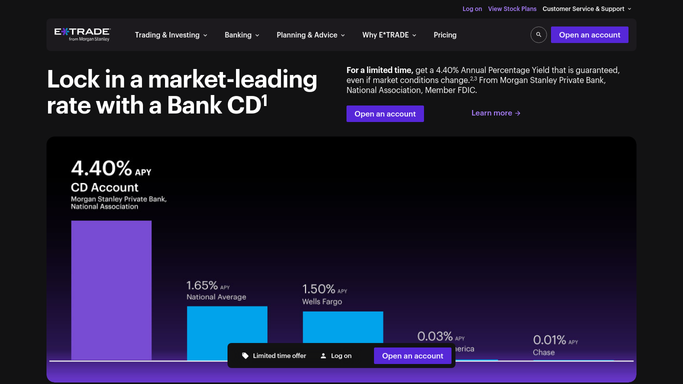
WebRun opens E*TRADE to read balance and watchlist. - Open E*TRADE and read account balance, cash, and buying power
- Read the current quote and overnight change for every watchlist symbol
- Flag any symbol that moved more than 5% since yesterday's close
Done when Balance, buying power, and every watchlist quote are captured for today.
-
2
Slack - post the morning digest
slack.com

WebRun opens Slack to post the morning digest. - Post today's account balance, buying power, and full watchlist quotes
- Sort the watchlist by percentage move, biggest first
- Keep the digest to one message you can scan in seconds
Done when Your morning Slack digest is posted before the open.
-
3
Telegram - ping big overnight movers
telegram.org

WebRun uses Telegram to ping big overnight movers. - Send a separate Telegram ping only for symbols that moved more than 5% overnight
- Name the symbol and the percentage move
- Send nothing on a quiet morning with no big movers
Done when A Telegram ping went out for every real overnight mover, and nothing otherwise.
How is each run configured?
Secure by default
Connect once, stays signed in
WebRun signs in once and keeps each session in a persistent environment, so every run picks up right where it left off.
Every action is checked against this policy before it runs.
Questions, answered
Will WebRun buy or sell anything in my E*TRADE account?
No. WebRun only reads your balance and watchlist and reports on them. It never places, cancels, or modifies an order, and it never moves funds in or out of the account.
What counts as a big overnight move?
A watchlist symbol moving more than 5% from yesterday's close by default. That threshold can be tightened or loosened to match how sensitive you want the Telegram ping to be.
Does it check my whole portfolio or just the watchlist?
Both. Balance and buying power come from your full account, while the move detection is scoped to the symbols you have added to your watchlist.
Related templates
Put this on autopilot.
Turn it on in minutes - or have our team set it up for you.