Draft engagement letters for new matters
When a new Clio matter is created, WebRun reads the matter type, client details, and billing terms, drafts an engagement letter using your firm's template in Google Drive, saves it for attorney review, and prepares a DocuSign envelope - ready to send once the attorney approves.
- No credit card
- Under $0.01 per run
- Cancel anytime
What does WebRun do on every run?
The exact actions WebRun takes, in order - in plain language, so you can adjust anything.
-
WebRun signs in and gets to work
Opens
app.clio.comin a real browser with your saved login - no setup, no API keys. -
1
Clio - read matter and client details
clio.com How to Automate Clio

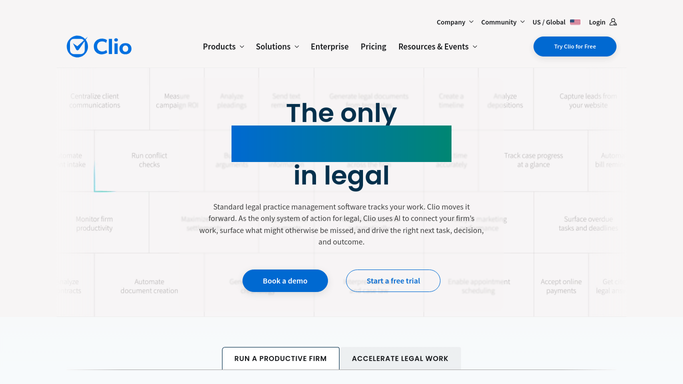
WebRun opens Clio to read matter and client details. - Open the new matter in Clio and capture the client name, matter type, responsible attorney, billing rate, and retainer amount
- Note any custom terms flagged in the matter description that should be reflected in the letter
Done when All matter details needed for the engagement letter are captured.
-
2
Google Drive - draft engagement letter from template
drive.google.com How to Automate Google Drive
WebRun opens Google Drive to draft engagement letter from template. - Open your firm's engagement letter template in Google Drive
- Populate the client name, matter description, attorney name, billing rate, and retainer amount from the Clio data
- Save the completed draft in the matter's Google Drive folder - do not finalise or share yet
Done when A populated engagement letter draft is saved in the matter folder, ready for attorney review.
-
3
DocuSign - prepare signing envelope for review
docusign.com How to Automate DocuSign
WebRun opens DocuSign to prepare signing envelope for review. - Upload the draft engagement letter to DocuSign and set up the signing fields for the client
- Add the responsible attorney as the sender and pre-fill the client email from Clio
- Save the envelope as a draft - do not send until the attorney reviews and clicks Send
Done when A DocuSign envelope is staged and waiting for attorney review before sending to the client.


How can I automatically draft engagement letters when a new matter is opened?
When a new matter is created in Clio, WebRun reads the matter type, client details, and billing terms, drafts an engagement letter using your firm's template in Google Drive, saves it for attorney review, and prepares a DocuSign envelope - ready to send the moment the attorney approves.
- Engagement letter drafted within minutes of matter creation, not days later
- Attorney reviews a completed draft rather than writing from scratch
- DocuSign envelope ready to send on attorney approval - no manual prep
Built for law firms · solo practitioners · legal operations teams · in-house legal departments
How is each run configured?
Secure by default
Connect once, stays signed in
WebRun signs in once and keeps each session in a persistent environment, so every run picks up right where it left off.
Every action is checked against this policy before it runs.
Questions, answered
Will it send the engagement letter to the client automatically?
No. The DocuSign envelope is staged as a draft. The responsible attorney reviews the letter, makes any edits, and clicks Send - nothing leaves the firm without approval.
Can I use multiple letter templates for different practice areas?
Yes. You can configure WebRun to select the right Google Drive template based on the Clio matter type - litigation, transactional, employment, etc.
Does it provide legal advice or tailor substantive clauses?
No. WebRun populates standard fields from your template. All substantive legal terms, clauses, and advice remain the attorney's responsibility to review and approve.
Related templates
Put this on autopilot.
Turn it on in minutes - or have our team set it up for you.