Track every endocrinology prior authorization without missing a deadline
Every morning, WebRun opens NexHealth, checks all open prior authorization requests for endocrinology procedures and medications, flags any that are expiring within seven days or awaiting a payer response past the expected window, and posts a prioritized action list to Slack.
- No credit card
- Under $0.01 per run
- Cancel anytime
What does WebRun do on every run?
The exact actions WebRun takes, in order - in plain language, so you can adjust anything.
-
WebRun signs in and gets to work
Opens
nexhealth.com/loginin a real browser with your saved login - no setup, no API keys. -
1
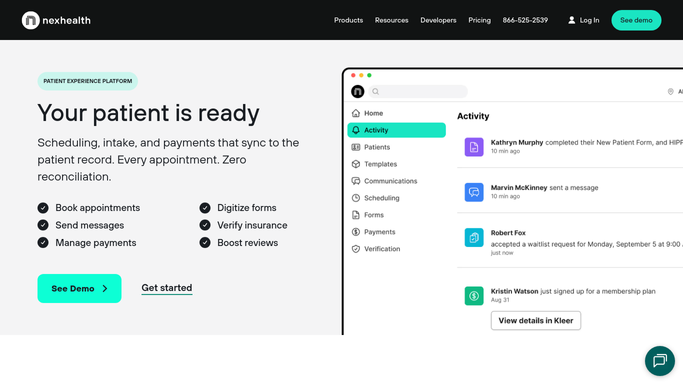
NexHealth - check open prior authorization statuses
nexhealth.com How to Automate NexHealth

WebRun opens NexHealth to check open prior authorization statuses. - Open NexHealth and navigate to the prior authorization queue
- Identify all pending, submitted, and approved-but-expiring prior authorizations
- Flag PAs expiring within 7 days and those awaiting payer response past 5 business days
- Capture patient name, payer, procedure or medication, submission date, and expiry date for each
Done when Every open PA is listed with its status, urgency flag, and key dates.
-
2
Slack - post prioritized PA action list
slack.com How to Automate Slack
WebRun opens Slack to post prioritized PA action list. - Group PAs by urgency: expiring this week, overdue for payer response, and pending
- Format a clean daily PA digest with patient and payer details
- Post to the billing or clinical Slack channel so the right team member can act
Done when The team has today's PA action list in Slack with items sorted by urgency.

How can I automatically track expiring prior authorizations for my endocrinology practice?
Every morning, WebRun opens NexHealth and reviews all open prior authorization requests for your endocrinology practice. It flags those expiring within seven days or overdue for a payer response, then posts a prioritized action list to Slack so your billing team can follow up before any authorization lapses or claim is denied.
- Expiring PAs are surfaced seven days before lapse
- Stalled payer responses are caught before the window closes
- Zero manual PA queue checking needed each morning
Built for endocrinology billing teams · specialty clinic administrators · medical office managers · prior authorization coordinators
How is each run configured?
Secure by default
Connect once, stays signed in
WebRun signs in once and keeps each session in a persistent environment, so every run picks up right where it left off.
Every action is checked against this policy before it runs.
Questions, answered
Will it submit or resubmit prior authorization requests automatically?
No. WebRun reads and reports PA status only. Any submission, resubmission, or payer follow-up is handled by your billing or clinical staff after reviewing the Slack digest.
How far in advance does it flag expiring authorizations?
WebRun flags prior authorizations expiring within seven days by default, giving your team enough lead time to renew or schedule the service before the authorization lapses and a claim is denied.
What if the same PA appears in the report for several days running?
It will remain on the list until the status changes in NexHealth. This persistence is intentional: unresolved PAs stay visible so nothing is accidentally dropped between daily runs.
Related templates
Put this on autopilot.
Turn it on in minutes - or have our team set it up for you.