Draft patient balance reminders for your endocrinology practice
Every Monday, WebRun opens NexHealth, finds patients with outstanding patient-responsibility balances, drafts a polite balance reminder message for each inside NexHealth for staff review, and logs the full batch in Google Sheets so your billing team has a complete record.
- No credit card
- Under $0.01 per run
- Cancel anytime
What does WebRun do on every run?
The exact actions WebRun takes, in order - in plain language, so you can adjust anything.
-
WebRun signs in and gets to work
Opens
nexhealth.com/loginin a real browser with your saved login - no setup, no API keys. -
1
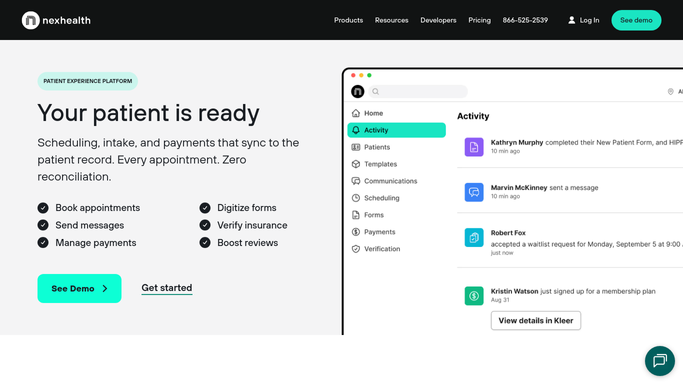
NexHealth - find outstanding balances and draft reminder messages for review
nexhealth.com How to Automate NexHealth

WebRun opens NexHealth to find outstanding balances and draft reminder messages for review. - Open NexHealth and navigate to the billing section
- Filter patients by outstanding patient-responsibility balance greater than zero
- Capture patient name, balance amount, days outstanding, and preferred contact method
- Skip patients already on a payment plan or who received a reminder in the past 14 days
- Draft a courteous balance reminder message for each patient inside NexHealth
- Include the patient name, balance amount, and instructions for paying online or calling the office
- Leave each draft unsent and flagged for billing staff review before sending
Done when Every qualifying patient is listed and a balance reminder draft is queued in NexHealth awaiting billing staff approval.
-
2
Google Sheets - log balance reminder batch
google.com How to Automate Google Sheets
WebRun opens Google Sheets to log balance reminder batch. - Open the Balance Reminder Tracker sheet
- Append a row per patient with name, balance, days outstanding, draft status, and run date
- Flag balances over 60 days for priority review by the billing team
Done when The tracker sheet reflects today's full balance reminder batch with status for each patient.

How can I automatically draft patient balance reminders for my endocrinology practice?
Every Monday, WebRun opens NexHealth and finds patients with outstanding patient-responsibility balances. It drafts a courteous reminder for each inside NexHealth for billing staff to review before any message is sent, then logs the full batch in Google Sheets, giving your team a clear weekly record of every outstanding account.
- No outstanding patient balance is missed each week
- Billing staff approve every message before patient contact
- Old balances are flagged automatically for escalation review
Built for endocrinology billing teams · medical office managers · specialty practice administrators · patient accounts staff
How is each run configured?
Secure by default
Connect once, stays signed in
WebRun signs in once and keeps each session in a persistent environment, so every run picks up right where it left off.
Every action is checked against this policy before it runs.
Questions, answered
Will it send balance reminders to patients without staff approval?
No. Every reminder is drafted inside NexHealth and held in the queue until a billing team member reviews and approves it. No financial message reaches a patient before a human has seen it.
Will it contact patients who are on a payment plan?
No. WebRun checks NexHealth for active payment plan flags and skips those patients automatically, ensuring reminder messages only go to patients who genuinely have an unmanaged outstanding balance.
How does it handle patients with very old balances?
Balances over 60 days are flagged in the Google Sheets log for priority billing review. This lets the billing team decide whether to escalate to a collection process rather than send a standard reminder.
Related templates
Put this on autopilot.
Turn it on in minutes - or have our team set it up for you.