Build an automatic worklist for abnormal lab results needing follow-up
Every morning, WebRun opens NexHealth, finds abnormal lab results for endocrinology patients that are unacknowledged or lack a documented follow-up plan, and posts a prioritized worklist to the clinical Slack channel so no critical value goes unaddressed.
- No credit card
- Under $0.01 per run
- Cancel anytime
What does WebRun do on every run?
The exact actions WebRun takes, in order - in plain language, so you can adjust anything.
-
WebRun signs in and gets to work
Opens
nexhealth.com/loginin a real browser with your saved login - no setup, no API keys. -
1
NexHealth - identify unacknowledged abnormal lab results
nexhealth.com How to Automate NexHealth

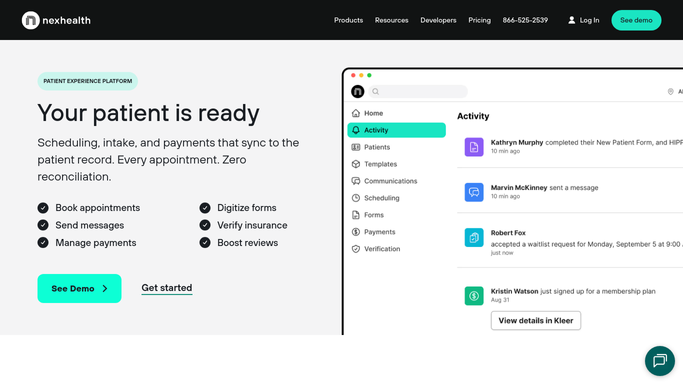
WebRun opens NexHealth to identify unacknowledged abnormal lab results. - Open NexHealth and navigate to the lab results inbox
- Filter for results flagged as abnormal or critical that have not been signed off
- Capture patient name, result type (e.g. HbA1c, TSH, fasting glucose), value, flag level, and ordering provider
- Sort by flag severity: critical first, then high, then borderline
- Skip any result already acknowledged or linked to a follow-up appointment
Done when Every unacknowledged abnormal lab result is listed with patient, result, and severity details.
-
2
Slack - post prioritized follow-up worklist to clinical team
slack.com How to Automate Slack
WebRun opens Slack to post prioritized follow-up worklist to clinical team. - Format the worklist grouped by provider so each clinician sees their own patients
- Lead with critical-flag results highlighted at the top of the list
- Post to the clinical team Slack channel with total count and run timestamp
Done when The clinical team has today's abnormal lab follow-up worklist in Slack, sorted by severity and provider.

How can I automatically track abnormal lab results that need clinical follow-up in my endocrinology practice?
Every morning, WebRun opens NexHealth and identifies abnormal endocrinology lab results that have not yet been acknowledged or linked to a follow-up plan. It builds a prioritized worklist grouped by provider and sorted by severity, then posts it to the clinical Slack channel so every critical value gets attention before end of day.
- No abnormal lab result goes unnoticed past morning rounds
- Critical values surface at the top of every provider's daily worklist
- Acknowledged results are automatically removed from future runs
Built for endocrinologists · diabetes care teams · clinical staff coordinators · specialty practice managers
How is each run configured?
Secure by default
Connect once, stays signed in
WebRun signs in once and keeps each session in a persistent environment, so every run picks up right where it left off.
Every action is checked against this policy before it runs.
Questions, answered
Will it contact patients about their abnormal results automatically?
No. WebRun only posts an internal worklist to Slack for the clinical team. All patient communication about lab results is handled by the provider or clinical staff, keeping protected health information internal and patient contact in human hands.
How does it prioritize results on the worklist?
WebRun sorts by NexHealth flag severity, placing critical values first, then high, then borderline. Within each tier, results are grouped by provider so each clinician can scan their list quickly.
What happens once a provider acknowledges a result in NexHealth?
The result is marked as signed off in NexHealth, and WebRun will exclude it from the next run's worklist automatically. Only genuinely unactioned results remain visible day after day.
Related templates
Put this on autopilot.
Turn it on in minutes - or have our team set it up for you.