Get a daily no-show report for your endocrinology clinic
Every evening, WebRun opens NexHealth, pulls the day's appointment list, identifies no-shows and late cancellations, and posts a clean summary to your Slack channel so the front desk knows exactly who to reschedule tomorrow.
- No credit card
- Under $0.01 per run
- Cancel anytime
What does WebRun do on every run?
The exact actions WebRun takes, in order - in plain language, so you can adjust anything.
-
WebRun signs in and gets to work
Opens
nexhealth.com/loginin a real browser with your saved login - no setup, no API keys. -
1
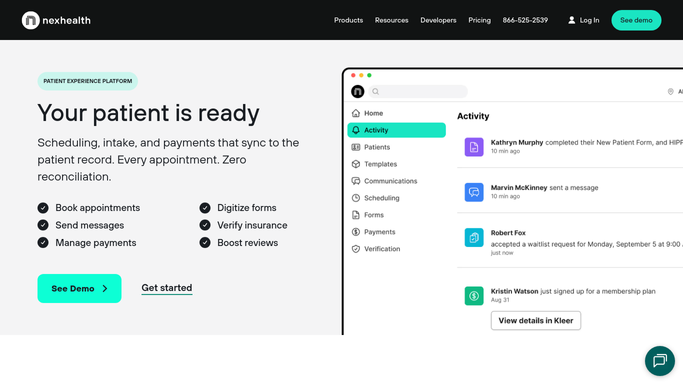
NexHealth - pull today's no-shows and late cancellations
nexhealth.com How to Automate NexHealth

WebRun opens NexHealth to pull today's no-shows and late cancellations. - Open NexHealth and navigate to the appointment calendar for today
- Filter appointments by status: No Show and Late Cancellation
- Capture patient name, appointment type, provider, and preferred contact for each
- Note any patients flagged as chronic no-shows for priority follow-up
Done when Every no-show and late cancellation for the day is recorded with patient and appointment details.
-
2
Slack - post no-show summary to front-desk channel
slack.com How to Automate Slack
WebRun opens Slack to post no-show summary to front-desk channel. - Format the no-show list as a brief Slack message grouped by provider
- Highlight any patients who have missed two or more consecutive appointments
- Post to the front-desk Slack channel with a timestamp and total count
Done when The front desk has tonight's no-show report in Slack ready to action tomorrow morning.

How do I get an automatic daily no-show report for my endocrinology practice?
Every evening, WebRun opens NexHealth, identifies every patient who no-showed or cancelled late, and posts a clean grouped summary to your front-desk Slack channel. The report is internal only, so staff can plan tomorrow's reschedule calls without any automated patient contact taking place.
- Front desk sees every no-show before the next morning
- Repeat no-show patients are flagged automatically
- Zero manual chart-checking needed to build the reschedule list
Built for endocrinology practices · diabetes clinics · specialty medical offices · front-desk scheduling teams
How is each run configured?
Secure by default
Connect once, stays signed in
WebRun signs in once and keeps each session in a persistent environment, so every run picks up right where it left off.
Every action is checked against this policy before it runs.
Questions, answered
Does it automatically contact no-show patients?
No. WebRun only compiles the internal report and posts it to Slack. Any patient outreach, such as a reschedule call or follow-up text, is initiated by your front-desk staff after reviewing the report.
Can it distinguish no-shows from same-day cancellations?
Yes. WebRun reads NexHealth appointment statuses and separates true no-shows from late cancellations, listing each category clearly so your team can prioritize and follow up appropriately.
What happens if there are no no-shows on a given day?
WebRun still posts a brief confirmation to Slack noting zero no-shows for the day, so your team always has a consistent nightly touchpoint and never has to wonder whether the report ran.
Related templates
Put this on autopilot.
Turn it on in minutes - or have our team set it up for you.