Route new endocrinology patient referrals to the right provider automatically
When a new patient referral is added in NexHealth, WebRun reads the referral reason and diagnosis type, checks provider availability and specialty focus, identifies the best match, and posts a routing recommendation to the care coordinator Slack channel for confirmation before any appointment is booked.
- No credit card
- Under $0.01 per run
- Cancel anytime
What does WebRun do on every run?
The exact actions WebRun takes, in order - in plain language, so you can adjust anything.
-
WebRun signs in and gets to work
Opens
nexhealth.com/loginin a real browser with your saved login - no setup, no API keys. -
1
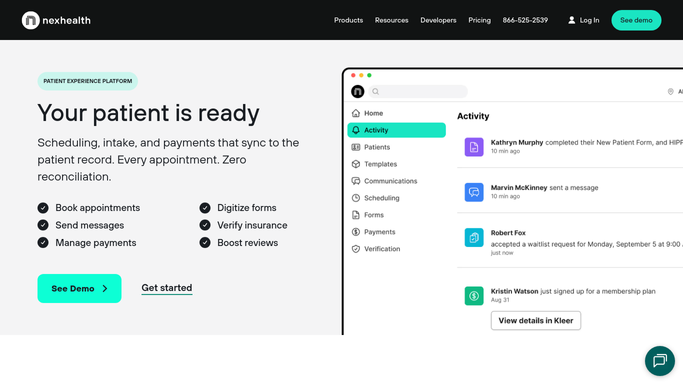
NexHealth - read referral details and identify best-fit provider
nexhealth.com How to Automate NexHealth

WebRun opens NexHealth to read referral details and identify best-fit provider. - Open NexHealth and navigate to the new patient or referral inbox
- Read the referral reason, primary diagnosis or concern (e.g. diabetes, thyroid, adrenal, pituitary), and urgency level
- Note referring provider, insurance, and any scheduling preferences or restrictions
- Review provider specialty focus and current schedule availability in NexHealth
- Match the referral diagnosis to the provider best suited to manage it
- Identify the earliest available new-patient slot within the appropriate urgency window
Done when A best-fit provider and earliest available slot are identified for the new patient.
-
2
Slack - post routing recommendation for care coordinator to confirm
slack.com How to Automate Slack
WebRun opens Slack to post routing recommendation for care coordinator to confirm. - Post a routing recommendation to the care coordinator Slack channel
- Include referral reason, suggested provider, earliest slot, and insurance status
- Leave the appointment unbooked until the care coordinator confirms the match
Done when The care coordinator has the routing recommendation in Slack and can confirm or reassign before booking.

How can I automatically route new endocrinology patient referrals to the right provider?
When a new referral arrives in NexHealth, WebRun reads the referral reason, diagnosis, and urgency, then checks provider availability to identify the best-fit match. Within minutes it posts a routing recommendation to the care coordinator Slack channel with the suggested provider and earliest slot, leaving the final booking decision with a human.
- Routing recommendations reach the care coordinator within minutes of a referral arriving
- No appointment is booked without human confirmation of the provider match
- Urgency and availability gaps are surfaced before the patient is contacted
Built for endocrinology practice managers · care coordinators · specialty clinic administrators · patient services teams
How is each run configured?
Secure by default
Connect once, stays signed in
WebRun signs in once and keeps each session in a persistent environment, so every run picks up right where it left off.
Every action is checked against this policy before it runs.
Questions, answered
Will it book the appointment automatically?
No. WebRun posts a routing recommendation to Slack for the care coordinator to review and confirm. The appointment is only booked once a human approves the match, ensuring the right clinical judgment is applied before any slot is committed.
How does it determine which provider is the best fit?
WebRun reads the referral diagnosis or concern and matches it against each provider's specialty focus and current availability in NexHealth. The recommendation is a starting point for the care coordinator to confirm, not an automated decision.
What if no suitable slot is available in the requested timeframe?
WebRun includes the earliest available slot it can find and notes any gap between the requested urgency and actual availability in the Slack message, so the care coordinator can prioritize the patient or contact the referring provider to manage expectations.
Related templates
Put this on autopilot.
Turn it on in minutes - or have our team set it up for you.