Start every clinic day with a clean endocrinology schedule digest
Every morning, WebRun opens NexHealth, pulls today's full appointment schedule, and posts a structured daily digest to your clinic Slack channel covering provider schedules, appointment types, confirmed patients, and any gaps or blocks worth noting.
- No credit card
- Under $0.01 per run
- Cancel anytime
What does WebRun do on every run?
The exact actions WebRun takes, in order - in plain language, so you can adjust anything.
-
WebRun signs in and gets to work
Opens
nexhealth.com/loginin a real browser with your saved login - no setup, no API keys. -
1
NexHealth - pull today's appointment schedule
nexhealth.com How to Automate NexHealth

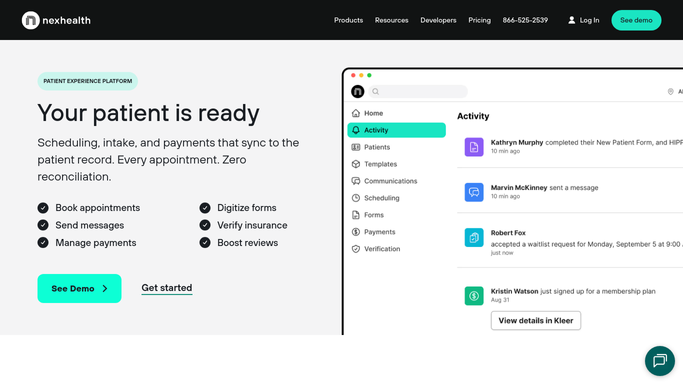
WebRun opens NexHealth to pull today's appointment schedule. - Open NexHealth and navigate to the appointment calendar for today
- Pull all scheduled appointments grouped by provider
- Note appointment types (new patient, follow-up, lab review, diabetes education) and confirmation status
- Identify any large gaps, double-bookings, or unconfirmed slots that need front-desk attention
Done when Today's full appointment schedule is captured with provider, patient count, and any anomalies noted.
-
2
Slack - post daily schedule digest to clinic channel
slack.com How to Automate Slack
WebRun opens Slack to post daily schedule digest to clinic channel. - Format the digest with a section per provider showing total appointments and key appointment types
- Highlight unconfirmed appointments and notable schedule gaps
- Post to the clinic Slack channel before the first appointment of the day
Done when The clinic team has today's schedule digest in Slack before doors open.

How can I automatically send my endocrinology team a daily schedule summary each morning?
Every morning before doors open, WebRun opens NexHealth and compiles the day's appointment schedule across all providers. It posts a structured digest to your clinic Slack channel showing appointment counts, types, confirmation status, and any gaps or anomalies, so every team member starts the day with a clear operational picture.
- Every provider sees their day before the first patient arrives
- Unconfirmed appointments are flagged for front-desk follow-up
- No manual schedule-checking needed each morning
Built for endocrinology practices · diabetes clinics · specialty medical offices · clinic administrators and front-desk teams
How is each run configured?
Secure by default
Connect once, stays signed in
WebRun signs in once and keeps each session in a persistent environment, so every run picks up right where it left off.
Every action is checked against this policy before it runs.
Questions, answered
Does it include patient names or clinical details in the Slack message?
The digest uses appointment counts, types, and slot statuses rather than individual patient names, keeping the Slack message an operational summary that is safe to post in a shared channel without exposing protected health information.
What counts as an anomaly worth flagging?
WebRun flags unconfirmed appointments, schedule gaps of 30 minutes or more, and days where a provider has significantly fewer bookings than their typical daily volume, giving the front desk a heads-up to fill or investigate.
Can it run on weekends or on days the practice is closed?
You can configure the schedule to match your clinic's operating days. On closed days, WebRun will simply report zero appointments and skip the detailed breakdown, so the channel is never cluttered with empty reports.
Related templates
Put this on autopilot.
Turn it on in minutes - or have our team set it up for you.