Get a weekly cross-channel scorecard from Emplifi
Every Monday, WebRun opens Emplifi, pulls last week's cross-channel engagement report across your social accounts, adds any flagged content review or renewal dates to Google Calendar, and posts the scorecard to Microsoft Teams for the team.
- No credit card
- Under $0.01 per run
- Cancel anytime
How do I get a weekly cross-channel report from Emplifi?
WebRun opens Emplifi every Monday and pulls the cross-channel engagement report from the past week, covering every connected social account. It adds any flagged review or campaign dates to Google Calendar and posts the full scorecard to Microsoft Teams, so your team sees engagement, reach, and top posts in one weekly summary without pulling the report by hand.
- The whole team sees one weekly scorecard instead of separate channel reports
- Campaign and review dates land on the calendar automatically
- Sharp swings in engagement get flagged the same week they happen
Built for Enterprise marketing teams · social media directors · brand marketing teams · agencies
What does WebRun do on every run?
The exact actions WebRun takes, in order - in plain language, so you can adjust anything.
-
WebRun signs in and gets to work
Opens
www.emplifi.ioin a real browser with your saved login - no setup, no API keys. -
1
Emplifi - pull the engagement report
emplifi.io
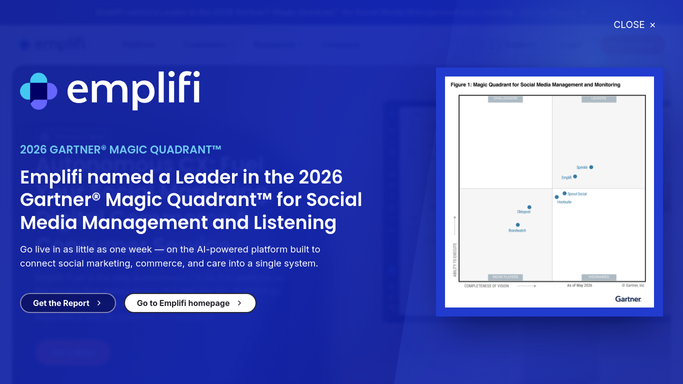
WebRun opens Emplifi to pull the engagement report. - Open Emplifi and pull the cross-channel engagement report for the past week
- Note engagement rate, reach, and top-performing post per channel
- Flag any upcoming content review or campaign date shown in the dashboard
Done when Last week's cross-channel numbers and any flagged dates are captured.
-
2
Google Calendar - add key review dates
calendar.google.com How to Automate Google Calendar

WebRun opens Google Calendar to add key review dates. - Open Google Calendar and add an entry for each flagged review or campaign date
- Include the channel and what needs review
- Skip dates already on the calendar
Done when Every flagged date from Emplifi has a calendar entry.
-
3
Microsoft Teams - post the scorecard
microsoft.com How to Automate Microsoft Teams

WebRun opens Microsoft Teams to post the scorecard. - Post the weekly scorecard to the marketing channel in Teams
- Highlight the top-performing channel and post from the week
- Note any metric that moved sharply up or down
Done when Your team has this week's Emplifi scorecard in Teams.
How is each run configured?
Secure by default
Connect once, stays signed in
WebRun signs in once and keeps each session in a persistent environment, so every run picks up right where it left off.
Every action is checked against this policy before it runs.
Questions, answered
Does WebRun change anything in Emplifi's settings or campaigns?
No. It only reads the engagement report. Adjusting campaigns or settings stays a manual decision inside Emplifi.
What dates get added to the calendar?
Only ones Emplifi itself flags, like a campaign end date or a scheduled content review, so the calendar doesn't fill up with anything invented.
Which channels does the scorecard cover?
Every channel connected to your Emplifi account, summarized in one scorecard rather than a separate report per platform.
Related templates
Put this on autopilot.
Turn it on in minutes - or have our team set it up for you.