Automated ElevenLabs Voiceover Indexing
Every evening, WebRun signs into ElevenLabs, reads the generation history for clips created that day, writes each one into a Notion index with the voice used, the script text, and the date, and sends you a short tally on WhatsApp.
How do I keep track of all the voiceovers I generate?
WebRun reads your ElevenLabs generation history each evening and captures every clip made that day, including the voice used, the project, and the opening line of the script. It writes each one into a Notion index, skips clips already recorded, and sends you a tally on WhatsApp.
- Every clip is findable by voice, project, or script line
- Reruns of the same script are spotted before the characters are spent
- One Notion database replaces scrolling an endless history list
Built for podcast producers · video editors · marketing teams · audiobook narrators
What does WebRun do on every run?
The exact actions WebRun takes, in order - in plain language, so you can adjust anything.
-
WebRun signs in and gets to work
Opens
elevenlabs.io/appin a real browser with your saved login - no setup, no API keys. -
1
ElevenLabs - read today's generations
elevenlabs.io
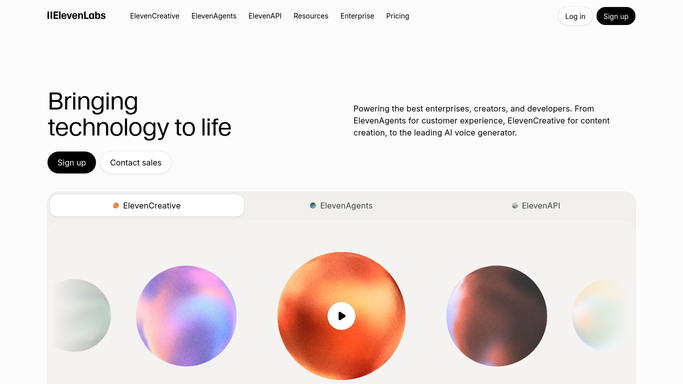
WebRun opens ElevenLabs to read today's generations. - Sign into ElevenLabs and open your generation history
- Capture every clip created since the last run
- Record the voice used, the date, and the first line of the script for each
- Note which project or folder the clip belongs to where one is set
Done when Every clip generated today is captured with its voice and script line.
-
2
Notion - index each clip
notion.so

WebRun opens Notion to index each clip. - Open your voiceover index database in Notion
- Add one row per new clip with the voice, project, date, and opening script line
- Tag each row with the project so a campaign can be filtered in one click
- Skip any clip already indexed so the database never doubles up
Done when The Notion index holds one row for every clip generated today.
-
3
WhatsApp - send the daily tally
whatsapp.com

WebRun opens WhatsApp to send the daily tally. - Send the evening tally on WhatsApp
- Give the number of clips generated today and which voices were used most
- Name any project that produced more than five clips so heavy days are obvious
Done when You have today's ElevenLabs generation tally on WhatsApp.
How is each run configured?
Secure by default
Connect once, stays signed in
WebRun signs in once and keeps each session in a persistent environment, so every run picks up right where it left off.
Every action is checked against this policy before it runs.
Questions, answered
Does it generate audio or spend my characters?
No. WebRun only reads your existing generation history. It never starts a new generation, clones a voice, or uses any of your character allowance.
Does it delete anything from my history?
No. Nothing in ElevenLabs is changed or removed. The index in Notion is a separate copy of the details, built alongside your history.
Will the same clip be indexed twice?
No. WebRun checks the Notion database before writing and skips clips that already have a row, so re-runs never create duplicates.
Related templates
Put this on autopilot.
Turn it on in minutes - or have our team set it up for you.