Keep an eye on unpaid invoices for delivered localization jobs
Every Monday, WebRun reads open and overdue invoices in QuickBooks, matches each to its delivered project in VoiceQ, and sends you a Telegram digest of outstanding receivables for completed localization jobs, ranked by amount and days overdue, so revenue from finished work stays visible and gets chased on time.
- No credit card
- Under $0.01 per run
- Cancel anytime
What does WebRun do on every run?
The exact actions WebRun takes, in order - in plain language, so you can adjust anything.
-
WebRun signs in and gets to work
Opens
quickbooks.intuit.comin a real browser with your saved login - no setup, no API keys. -
1
QuickBooks - list open and overdue invoices
- Open QuickBooks and list invoices that are open, partly paid, or overdue
- Capture the client, amount, due date, and days past due for each
- Skip any invoice already settled since last week
Done when Every unpaid invoice is listed with its amount and days overdue.
-
2
VoiceQ - match invoices to delivered jobs
voiceq.com How to Automate VoiceQ

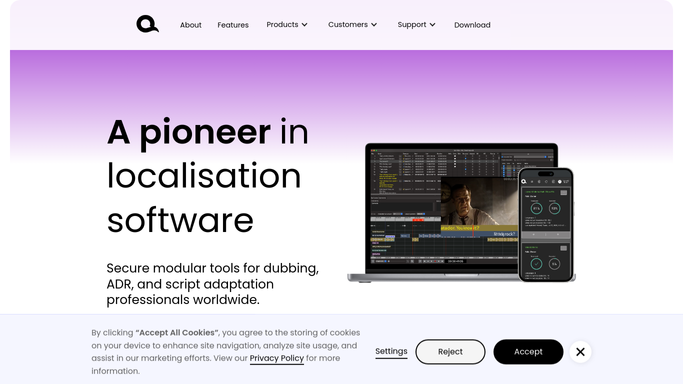
WebRun opens VoiceQ to match invoices to delivered jobs. - Open VoiceQ and confirm each unpaid invoice maps to a project marked delivered or approved
- Capture the languages and episode scope so the digest reads in production terms
- Flag any delivered job that has no matching invoice at all
Done when Each unpaid invoice is tied to a delivered VoiceQ job, and unbilled deliveries are flagged.
-
3
Telegram - digest what is still unpaid
telegram.org How to Automate Telegram
WebRun opens Telegram to digest what is still unpaid. - Send a Telegram digest of outstanding receivables ranked by amount and days overdue
- Show each client, the project it covers, the balance, and how overdue it is
- Call out delivered jobs with no invoice yet at the bottom as an action item
Done when You have a ranked Telegram digest of unpaid balances on delivered work.

How do I track unpaid invoices on delivered dubbing jobs?
Every Monday, WebRun reads open and overdue invoices in QuickBooks, confirms each maps to a delivered project in VoiceQ, and sends you a Telegram digest ranked by amount and days overdue. It also flags any delivered job with no invoice yet, so receivables on finished localization work stay visible and get chased before the cash slips.
- Cash from finished dubs stays visible instead of slipping quietly
- Overdue balances are ranked so the biggest ones get chased first
- Delivered but unbilled jobs are caught before they are forgotten
Built for dubbing studios · localization vendors · voiceover studio owners · studio finance staff
How is each run configured?
Secure by default
Connect once, stays signed in
WebRun signs in once and keeps each session in a persistent environment, so every run picks up right where it left off.
Every action is checked against this policy before it runs.
Questions, answered
Does it contact clients about unpaid invoices?
No. This digest is an internal Telegram summary for you only. It never emails or messages a client about a balance, so any collection outreach stays a decision you make yourself.
How does it know a job was actually delivered?
It matches each open QuickBooks invoice to its project in VoiceQ and confirms the project is marked delivered or approved, so the digest focuses on receivables for genuinely completed work.
Will it catch work I delivered but never invoiced?
Yes. If a VoiceQ project is marked delivered but has no matching invoice in QuickBooks, it lists that separately as an action item, so unbilled deliveries surface alongside overdue ones.
Related templates
Put this on autopilot.
Turn it on in minutes - or have our team set it up for you.