Catch scripts missing timecode before the actor walks in
Every evening, WebRun looks at tomorrow's recording schedule in VoiceQ, checks each booked project for lines that are missing timecode or a sync cue, cross-references the source scripts in Google Drive, and posts a per-project fix-it list to Slack so the team can patch gaps before the actor arrives.
- No credit card
- Under $0.01 per run
- Cancel anytime
What does WebRun do on every run?
The exact actions WebRun takes, in order - in plain language, so you can adjust anything.
-
WebRun signs in and gets to work
Opens
www.voiceq.comin a real browser with your saved login - no setup, no API keys. -
1
VoiceQ - scan tomorrow's booked lines for gaps
voiceq.com How to Automate VoiceQ

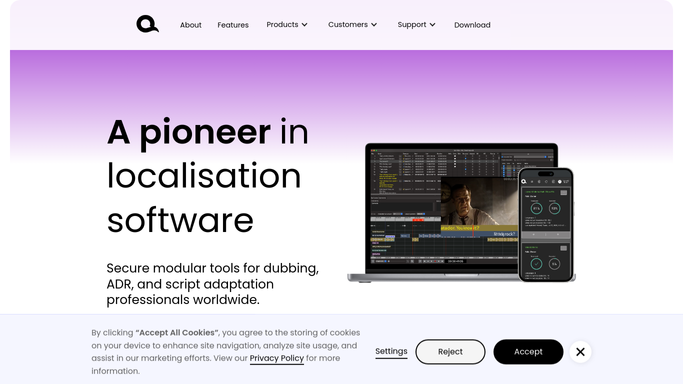
WebRun opens VoiceQ to scan tomorrow's booked lines for missing timecode. - Open VoiceQ and list the projects and characters scheduled to record tomorrow
- Check each cue for a valid start timecode and a synced Rhythmoband entry
- Flag any line missing timecode, missing a cue, or not yet assigned to an audio track
Done when Every line booked for tomorrow is marked ready or flagged as missing sync data.
-
2
Google Drive - cross-check the source scripts
drive.google.com How to Automate Google Drive
WebRun opens Google Drive to cross-check the source scripts. - Open the matching source script and adaptation files in Google Drive for each flagged project
- Confirm whether the missing timecode exists in the source document or is genuinely absent
- Note which gaps the adapter can fill quickly versus those needing the source studio
Done when Each flagged gap is traced to a source file and marked fixable or blocked.
-
3
Slack - post the fix-it list
slack.com How to Automate Slack
WebRun opens Slack to post the fix-it list for tomorrow's sessions. - Post a per-project fix-it list to the production channel, grouped by session start time
- List each missing cue with the character, line, and where the source data lives
- Put tomorrow's earliest sessions at the top so they get fixed first
Done when The team has a session-ordered list of every script gap to close before recording.


How do I catch scripts missing timecode before a recording session?
Every evening, WebRun reads tomorrow's recording schedule in VoiceQ, flags any cue missing timecode or a Rhythmoband sync, and cross-checks the source scripts in Google Drive to see where the data should live. It then posts a session-ordered fix-it list to Slack, so gaps get patched before the actor and booth time are wasted.
- Missing sync cues are caught the night before, not mid-session
- Booth time is spent recording, not fixing scripts on the fly
- The earliest sessions get their gaps flagged first, every night
Built for dubbing studios · ADR supervisors · script adapters · recording engineers
How is each run configured?
Secure by default
Connect once, stays signed in
WebRun signs in once and keeps each session in a persistent environment, so every run picks up right where it left off.
Every action is checked against this policy before it runs.
Questions, answered
Does it change my scripts or fix the timecode itself?
No. WebRun only reads VoiceQ and the source files in Google Drive and reports what is missing. Editing the cues stays with your adapter, so nothing in the project is altered without a person doing it.
How does it know which sessions are tomorrow?
It reads the recording schedule inside VoiceQ each evening, so the list always reflects the projects and characters actually booked for the next day.
Can it run for a whole week instead of just tomorrow?
Yes. The default is the next recording day, but you can set the window to the coming week so longer gaps get caught with more lead time to fix them.
Related templates
Put this on autopilot.
Turn it on in minutes - or have our team set it up for you.