Start each day with a per-language dubbing progress board
Every morning, WebRun opens VoiceQ, tallies recorded, approved, and remaining lines for each language version across your active projects, and posts a clean per-language progress board to Slack, so the studio starts the day knowing which versions are on track and which need attention.
- No credit card
- Under $0.01 per run
- Cancel anytime
What does WebRun do on every run?
The exact actions WebRun takes, in order - in plain language, so you can adjust anything.
-
WebRun signs in and gets to work
Opens
www.voiceq.comin a real browser with your saved login - no setup, no API keys. -
1
VoiceQ - tally progress per language version
voiceq.com How to Automate VoiceQ

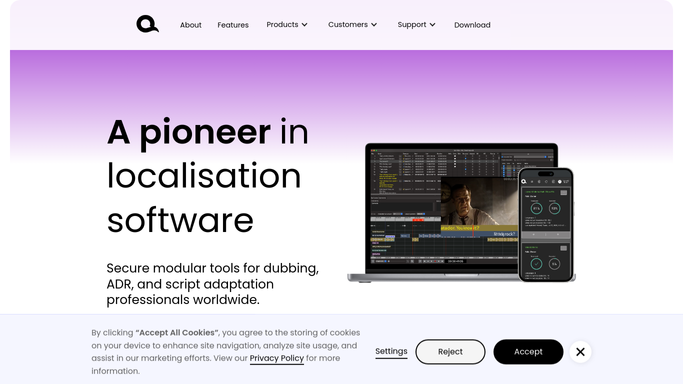
WebRun opens VoiceQ to tally progress per language version. - Open VoiceQ and, for each active project, read the total, recorded, and approved line counts
- Break the counts down by language version and by character where useful
- Compare each version's progress against its target delivery date to spot lag
Done when Every active language version has recorded, approved, and remaining counts against its deadline.
-
2
Slack - post the per-language progress board
slack.com How to Automate Slack
WebRun opens Slack to post the per-language progress board. - Post a per-language progress board to the studio channel with recorded, approved, and remaining lines
- Show each version's percent complete and days left to its deadline
- Flag any language version tracking behind its schedule at the top of the board
Done when The studio has a clear per-language progress board in Slack for the day.

How do I post daily dubbing progress by language to my team?
Every morning, WebRun opens VoiceQ and tallies recorded, approved, and remaining lines for each language version across your active projects, then compares each against its deadline. It posts a clean per-language progress board to your Slack studio channel with the laggards on top, so the whole team starts the day knowing exactly where every version stands.
- The studio sees every language version's status in one place each morning
- Lagging versions are flagged before they become delivery risks
- No one hand-builds a status spreadsheet; it reads live VoiceQ counts
Built for dubbing studios · localization project managers · ADR supervisors · voiceover producers
How is each run configured?
Secure by default
Connect once, stays signed in
WebRun signs in once and keeps each session in a persistent environment, so every run picks up right where it left off.
Every action is checked against this policy before it runs.
Questions, answered
Is it safe to let this post to Slack on its own?
Yes. The board is an internal status summary read straight from VoiceQ and posted only to your own studio channel. It contains no client messaging and takes no irreversible action, so it can run unattended.
How are the per-language numbers calculated?
It reads the total, recorded, and approved line counts VoiceQ already tracks for each project and rolls them up by language version, so the board reflects your live project data with no separate spreadsheet to maintain.
Can it flag versions that are behind schedule?
Yes. It compares each version's percent complete against days left to its delivery date and pushes any version tracking behind to the top of the board so it stands out.
Related templates
Put this on autopilot.
Turn it on in minutes - or have our team set it up for you.