Automated Drip Campaign Scorecards
Every Monday, WebRun signs into Drip, opens every broadcast and automation that sent last week, records the sends, open rate, click rate, and unsubscribes into Airtable, compares each against your trailing average, and files a dated scorecard document in Google Drive for the marketing review.
How do I report on my email campaign performance each week?
WebRun reads every Drip broadcast and workflow that sent last week and records the sends, opens, clicks, and unsubscribes into Airtable. It compares each campaign against your trailing eight-week average, then files a dated scorecard in Google Drive ready for the Monday marketing review.
- Every campaign is scored against your own trailing average, not a generic benchmark
- Unsubscribe spikes are traced back to the subject line that caused them
- Monday's marketing review starts from a finished document
Built for ecommerce marketers · email marketers · growth teams · agencies
What does WebRun do on every run?
The exact actions WebRun takes, in order - in plain language, so you can adjust anything.
-
WebRun signs in and gets to work
Opens
www.drip.com/loginin a real browser with your saved login - no setup, no API keys. -
1
Drip - pull last week's campaign results
drip.com
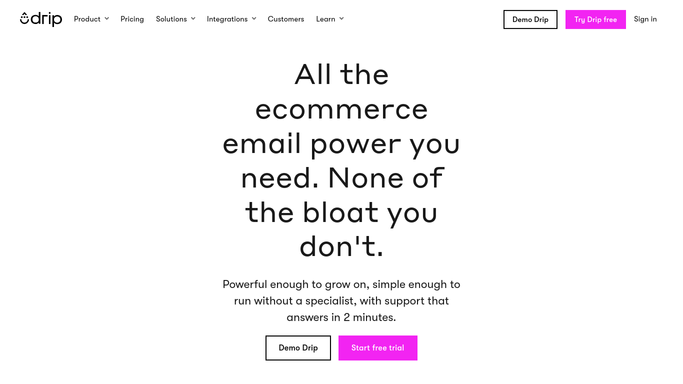
WebRun opens Drip to pull last week's campaign results. - Sign into Drip and open the broadcasts and workflows that sent in the last seven days
- Capture the send count, delivery rate, open rate, click rate, and unsubscribe rate for each
- Note the subject line and the segment each campaign went to
- Record any campaign with an unusually high unsubscribe or bounce rate
- Skip campaigns already scored on a previous run
Done when Every campaign that sent last week has its full result set captured.
-
2
Airtable - record the numbers per campaign
airtable.com

WebRun opens Airtable to record the numbers per campaign. - Open your email performance base in Airtable
- Append one record per campaign with its date, subject line, segment, and every rate
- Add a comparison column showing each rate against your trailing eight-week average
- Tag campaigns beating the average as winners and the ones below it as review
- Keep the history intact so subject-line patterns become visible over time
Done when Every campaign has a record with its comparison against the trailing average.
-
3
Google Drive - file the dated scorecard
drive.google.com

WebRun opens Google Drive to file the dated scorecard. - Create a dated scorecard document in your marketing folder in Google Drive
- Lead with the week's totals: sends, average open rate, average click rate, net list change
- Table each campaign under the totals, best performer first
- Call out any campaign whose unsubscribe rate was above normal, with its subject line
- Keep the file in your team folder. Never share it outside the company
Done when This week's scorecard is filed in Google Drive and ready for the review.
How is each run configured?
Secure by default
Connect once, stays signed in
WebRun signs in once and keeps each session in a persistent environment, so every run picks up right where it left off.
Every action is checked against this policy before it runs.
Questions, answered
Will it send or change any campaigns?
No. WebRun only reads results in Drip. It never sends a broadcast, edits a workflow, changes a segment, or pauses an automation. Everything it produces is a report you read afterwards.
How does it decide what counts as a good week?
It compares each campaign's open, click, and unsubscribe rates against your own trailing eight-week average, so the benchmark is your list rather than a generic industry number that may not fit your audience.
Where does the scorecard live?
In the Google Drive folder you choose, as a dated document, with the underlying numbers in your Airtable base. Nothing is shared outside your team and no link is made public.
Related templates
Put this on autopilot.
Turn it on in minutes - or have our team set it up for you.