Automated Drip Abandoned Cart Tracking
Every morning, WebRun opens Drip, finds abandoned-cart workflow entries that still haven't converted after your set number of days, posts the list to Microsoft Teams, and creates a Trello card so the ecommerce team can follow up manually on the ones worth a personal touch.
How do I find Drip abandoned carts that never converted?
WebRun checks Drip every morning for abandoned-cart workflow entries that still haven't converted after your set number of days, posts the list sorted by value to Microsoft Teams, and creates a Trello card for the highest-value ones, so your ecommerce team knows exactly which carts are worth a personal follow-up.
- High-value stalled carts get surfaced the same morning
- The ecommerce team gets a prioritized, value-sorted list
- No cart sits unconverted without someone noticing
Built for ecommerce marketers · DTC brands · Drip users
What does WebRun do on every run?
The exact actions WebRun takes, in order - in plain language, so you can adjust anything.
-
WebRun signs in and gets to work
Opens
www.drip.com/loginin a real browser with your saved login - no setup, no API keys. -
1
Drip - find stalled abandoned carts
drip.com
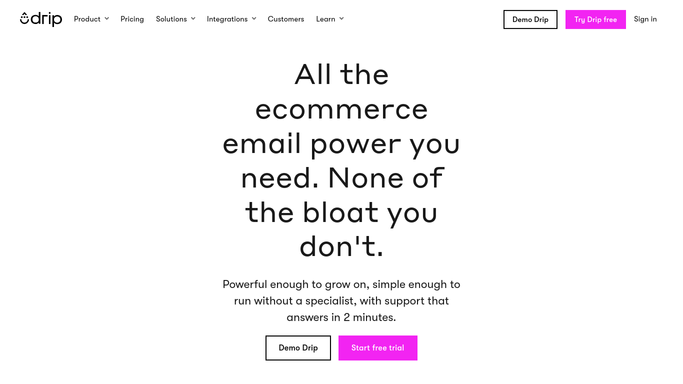
WebRun opens Drip to find stalled abandoned carts. - Open Drip and review the abandoned-cart workflow
- Filter to entries still unconverted after your set number of days
- Capture the cart value and last activity date for each
Done when Every stalled abandoned cart is listed with its value.
-
2
Microsoft Teams - post the list
microsoft.com

WebRun opens Microsoft Teams to post the list. - Post the stalled cart list to the ecommerce channel in Microsoft Teams
- Sort by cart value so the biggest ones stand out
- Note how long each has been sitting unconverted
Done when Today's stalled cart list is posted to Microsoft Teams.
-
3
Trello - create a follow-up card
trello.com

WebRun opens Trello to create a follow-up card. - Open the customer follow-up board in Trello
- Create a card for the highest-value stalled carts
- Leave the personal follow-up, if any, to the ecommerce team
Done when The highest-value stalled carts have a Trello card.
How is each run configured?
Secure by default
Connect once, stays signed in
WebRun signs in once and keeps each session in a persistent environment, so every run picks up right where it left off.
Every action is checked against this policy before it runs.
Questions, answered
Does it email or text the shopper directly?
No. This template only reports stalled carts internally to Microsoft Teams and Trello. WebRun does not contact the shopper itself.
Does it change my Drip abandoned-cart automation?
No. WebRun only reads the workflow's current state. Your existing Drip emails and automation keep running exactly as configured.
What counts as stalled?
Any cart still sitting in the abandoned-cart workflow without a completed order after the number of days you set.
Related templates
Put this on autopilot.
Turn it on in minutes - or have our team set it up for you.