Get every new Douban review of your title in one place
Every morning, WebRun opens Douban, checks your title's page for new ratings and reviews posted since yesterday, logs the rating, reviewer, and excerpt to Google Sheets, and emails you the digest so you always know what people are saying.
- No credit card
- Under $0.01 per run
- Cancel anytime
How do I track new Douban reviews of my book or film?
WebRun checks Douban every morning for new ratings and reviews of your book, film, or product, logs the rating, reviewer, and a short excerpt to Google Sheets, and emails you the digest from your own Gmail account. It never replies to a review itself, so responding to readers or viewers stays entirely up to your team.
- New reviews are logged the same morning they're posted
- A running average rating tracks automatically in Google Sheets
- Negative reviews get flagged before they pile up unnoticed
Built for Publishers · film distributors · authors · brand marketing teams
What does WebRun do on every run?
The exact actions WebRun takes, in order - in plain language, so you can adjust anything.
-
WebRun signs in and gets to work
Opens
www.douban.comin a real browser with your saved login - no setup, no API keys. -
1
Douban - check for new ratings and reviews
douban.com
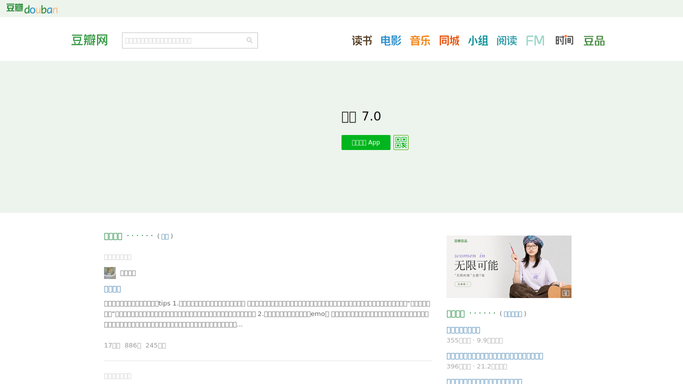
WebRun opens Douban to check for new ratings and reviews. - Open your title's page on Douban and check the ratings and reviews tab
- Note any review or rating posted since the last check
- Record the star rating, reviewer name, and a short excerpt
Done when Every new review or rating since yesterday has been captured.
-
2
Google Sheets - log each new review
google.com How to Automate Google Sheets

WebRun opens Google Sheets to log each new review. - Open the review tracker in Google Sheets
- Add a new row for each review with its rating and excerpt
- Recalculate the running average rating
Done when Every new review is logged and the average rating is current.
-
3
Gmail - email you the digest
gmail.com How to Automate Gmail

WebRun opens Gmail to email you the digest. - Draft a digest email listing today's new reviews and the current average rating
- Send it to you from your own Gmail account
- Flag any notably negative review for a closer look
Done when You have this morning's Douban digest in your inbox.
How is each run configured?
Secure by default
Connect once, stays signed in
WebRun signs in once and keeps each session in a persistent environment, so every run picks up right where it left off.
Every action is checked against this policy before it runs.
Questions, answered
Does WebRun reply to reviews on Douban?
No. It only reads and logs reviews. Replying to a reviewer is a public action left entirely to your team.
How far back does it check?
Just since the last run, typically the previous 24 hours, so the digest only ever shows what's genuinely new.
Does it flag negative reviews differently?
Yes. Anything rated notably low is called out in the digest so it doesn't get lost among routine reviews.
Related templates
Put this on autopilot.
Turn it on in minutes - or have our team set it up for you.