Upsell future events
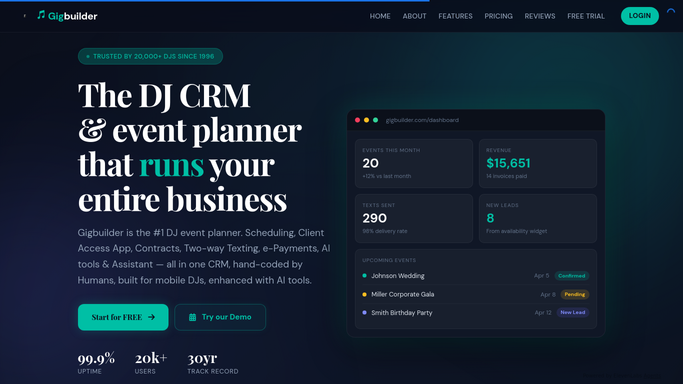
Every morning, WebRun opens Gigbuilder to find events whose one-year anniversary is approaching, then drafts a personal follow-up email in Mailchimp suggesting you DJ their next celebration, and posts a Slack alert so you can review and send before the moment passes.
- No credit card
- Under $0.01 per run
- Cancel anytime
What does WebRun do on every run?
The exact actions WebRun takes, in order - in plain language, so you can adjust anything.
-
WebRun signs in and gets to work
Opens
www.gigbuilder.comin a real browser with your saved login - no setup, no API keys. -
1
Gigbuilder - find upcoming event anniversaries
gigbuilder.com

WebRun opens Gigbuilder to find upcoming event anniversaries. - Open Gigbuilder and find events whose date falls within the next 14 days but from one year ago
- Capture the client name, event type, venue, and contact email for each anniversary event
- Skip any client who has already been contacted for this anniversary
Done when All clients with an upcoming event anniversary in the next 14 days are identified.
-
2
Mailchimp - draft the anniversary follow-up
mailchimp.com How to Automate Mailchimp
WebRun opens Mailchimp to draft the anniversary follow-up. - For each anniversary client, draft a warm follow-up email in Mailchimp referencing their event type and venue
- Include a friendly note about their event anniversary and a soft prompt about booking for the next occasion
- Stage the email as a draft and do not send it. Leave it for your review and approval
Done when A Mailchimp draft anniversary email exists for each client, ready for your approval.
-
3
Slack - alert you to review and send
slack.com How to Automate Slack
WebRun opens Slack to alert you to review and send. - Post a Slack alert listing each client with an upcoming anniversary and the draft email waiting for review
- Include the client name, original event type, and the anniversary date
Done when You are notified in Slack about upcoming anniversaries and pending Mailchimp drafts.


How do I automatically follow up with past DJ clients for repeat bookings?
WebRun opens Gigbuilder each morning to find events whose one-year anniversary falls in the next 14 days, then drafts a warm follow-up email in Mailchimp for each past client and posts a Slack alert. Every draft waits for your approval before anything is sent, so every outreach feels personal.
- Past clients receive a timely follow-up at their event anniversary
- Mailchimp drafts mean every outreach is reviewed before it reaches a client
- Repeat booking opportunities captured without any manual calendar scanning
Built for freelance DJs · DJ companies · wedding DJs · event entertainers seeking repeat business
How is each run configured?
Secure by default
Connect once, stays signed in
WebRun signs in once and keeps each session in a persistent environment, so every run picks up right where it left off.
Every action is checked against this policy before it runs.
Questions, answered
Will it send anniversary emails to past clients automatically?
No. Every follow-up email is staged in Mailchimp as a draft for your review. You approve and send each message yourself, so the outreach stays personal and matches your relationship with each client.
How does it find anniversary events to follow up on?
It looks for events in Gigbuilder whose date falls within the next 14 days but from one year prior, so you have a two-week window to reach out before the anniversary passes.
What if the same client books regularly and I have already followed up?
WebRun tracks which clients it has already flagged for a given anniversary and skips them on subsequent runs, so you will not see duplicate drafts for the same event.
Related templates
Put this on autopilot.
Turn it on in minutes - or have our team set it up for you.