Confirm details before the event
Every Monday, WebRun opens Gigbuilder to find gigs scheduled in the next seven days, drafts a week-of confirmation text message for each client via Twilio, and posts a Slack summary of upcoming events so nothing is missed and every client hears from you before the day.
- No credit card
- Under $0.01 per run
- Cancel anytime
What does WebRun do on every run?
The exact actions WebRun takes, in order - in plain language, so you can adjust anything.
-
WebRun signs in and gets to work
Opens
www.gigbuilder.comin a real browser with your saved login - no setup, no API keys. -
1
Gigbuilder - find this week's gigs
gigbuilder.com

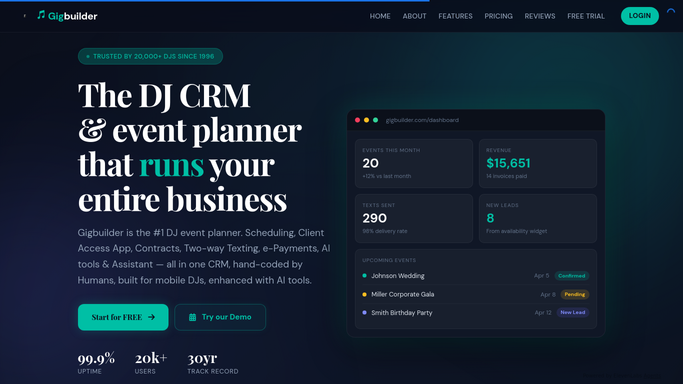
WebRun opens Gigbuilder to find this week's gigs. - Open Gigbuilder and list gigs scheduled in the next seven days
- Capture the client name, event date, start time, venue, and client phone number for each gig
- Skip any gig that already has a confirmation sent this week
Done when All gigs happening this week are listed with client and event details.
-
2
Twilio - draft confirmation texts
twilio.com How to Automate Twilio
WebRun opens Twilio to draft confirmation texts. - For each upcoming gig, draft a confirmation text referencing the event date, start time, and venue
- Stage the message in Twilio but do not send it. Leave every message as a draft for your review
- Ensure the message is concise and professional before you approve and send
Done when A staged confirmation text exists in Twilio for each gig, ready for your review and approval.
-
3
Slack - post the upcoming event list
slack.com How to Automate Slack
WebRun opens Slack to post the upcoming event list. - Post a summary to Slack listing this week's gigs with client name, date, time, and venue
- Note how many confirmation texts are staged and waiting for approval
Done when This week's gig lineup and pending confirmations are visible in Slack.


How do I automatically send confirmation reminders before each DJ event?
WebRun opens Gigbuilder every Monday, finds gigs happening in the next seven days, and drafts a week-of confirmation text for each client via Twilio. It then posts a Slack summary of the upcoming event lineup. Every text is staged for your approval before anything is sent to a client.
- Every client hears from you the week of their event without manual effort
- Slack lineup gives the whole team visibility into the week ahead
- Text drafts wait for your approval so no unintended messages go out
Built for freelance DJs · DJ companies · mobile entertainers · event DJs
How is each run configured?
Secure by default
Connect once, stays signed in
WebRun signs in once and keeps each session in a persistent environment, so every run picks up right where it left off.
Every action is checked against this policy before it runs.
Questions, answered
Will it send text messages to clients automatically?
No. Every confirmation text is staged in Twilio as a draft and left for your review. You approve each message before it is sent, so clients only hear from you when you are ready.
Which events does it pull from Gigbuilder?
It pulls gigs scheduled within the next seven days each Monday morning, giving you the full week to confirm details and handle any last-minute changes before each event.
What if I already confirmed an event with the client directly?
Simply skip or delete the staged draft in Twilio. WebRun will not re-stage a confirmation for the same gig in the same week, so you will not see duplicate drafts.
Related templates
Put this on autopilot.
Turn it on in minutes - or have our team set it up for you.