Ask happy divers for a review two days after the trip
Every morning, WebRun opens Diversdesk, finds trips that ran two days ago, lists the divers who attended, drafts a warm review request in Mailchimp for each with the trip and dive site named, and posts the team a Slack summary of who is being asked. Staff approve before anything sends.
- No credit card
- Under $0.01 per run
- Cancel anytime
What does WebRun do on every run?
The exact actions WebRun takes, in order - in plain language, so you can adjust anything.
-
WebRun signs in and gets to work
Opens
app.diversdesk.comin a real browser with your saved login - no setup, no API keys. -
1
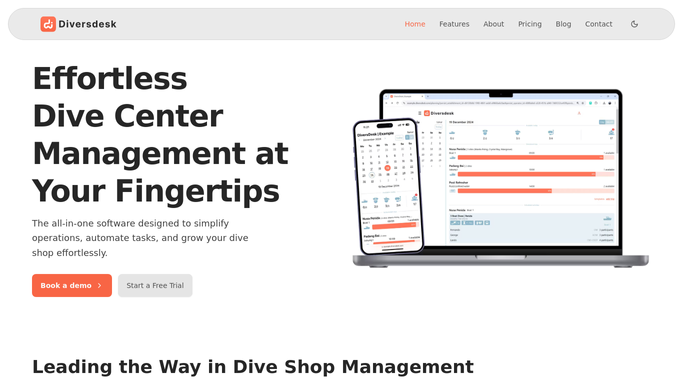
Diversdesk - find divers from trips two days ago
diversdesk.com How to Automate Diversdesk

WebRun opens Diversdesk to find divers from trips two days ago. - Open Diversdesk and find trips that took place two days ago
- List the divers who actually attended each trip, not no-shows
- Capture the diver name, email, trip name, and dive site
- Skip divers who already received a review request for this trip
Done when Every attendee from trips two days ago is listed with their trip details.
-
2
Mailchimp - draft review requests
mailchimp.com How to Automate Mailchimp
WebRun opens Mailchimp to draft review requests. - Draft a warm, personal review request in Mailchimp for each attendee
- Name the trip and dive site so the ask feels specific, not generic
- Include your review link and a short thank-you
- Leave every email as a draft in Mailchimp for staff to review and send. Do not send any request automatically.
Done when A review request is drafted and waiting for review for each attendee.
-
3
Slack - summarize who is being asked
slack.com How to Automate Slack
WebRun opens Slack to summarize who is being asked. - Post the team a short summary of which trips and how many divers are being asked for a review
- Flag any diver who left a complaint on the trip so staff can hold that request
Done when The team has a Slack summary of today's review requests.


How do I ask divers for a review a couple of days after their trip?
WebRun finds trips that ran two days ago in Diversdesk each morning and lists the divers who attended. It drafts a warm review request in Mailchimp for each, naming the trip and dive site, and posts the team a Slack summary. Every request waits unsent for staff to review and send.
- More reviews because divers are asked while the trip is fresh
- Unhappy divers are flagged so they are not asked by mistake
- Only real attendees are contacted, from live Diversdesk data
Built for dive shops · dive centers · liveaboard operators · scuba tour operators
How is each run configured?
Secure by default
Connect once, stays signed in
WebRun signs in once and keeps each session in a persistent environment, so every run picks up right where it left off.
Every action is checked against this policy before it runs.
Questions, answered
Will it email divers a review request without me?
No. Every request is saved as a Mailchimp draft for staff to review and send. Nothing reaches a diver until a person clicks send, so you never ask an unhappy diver by mistake.
How does it avoid asking someone who complained?
It flags any diver linked to a complaint on the trip in the Slack summary and leaves that draft for staff to hold or rewrite, so review requests go only to divers you choose.
How does it know who actually went on the trip?
It reads the live attendance in Diversdesk, so only divers marked as attended are asked. No-shows and cancellations are left out automatically.
Related templates
Put this on autopilot.
Turn it on in minutes - or have our team set it up for you.