Hand your DEV Community comments to a teammate to answer
Every morning, WebRun opens DEV Community, reads new comments on your published posts since yesterday, logs each one to Airtable with a link, and routes a suggested reply to a teammate in Notion so someone can review and post it themselves.
- No credit card
- Under $0.01 per run
- Cancel anytime
How do I make sure comments on my DEV Community posts get answered?
WebRun reads new comments on your DEV Community posts every morning, logs each one to Airtable with a link back to it, and drafts a suggested reply that gets routed to a teammate in Notion for approval. It never posts on DEV Community itself, so every public reply still comes from a real person.
- No comment on a published post goes unanswered by accident
- A teammate always has a draft reply ready instead of starting from scratch
- Every post is checked daily, not just the newest one
Built for Developer relations teams · technical bloggers · engineering teams · open source maintainers
What does WebRun do on every run?
The exact actions WebRun takes, in order - in plain language, so you can adjust anything.
-
WebRun signs in and gets to work
Opens
dev.toin a real browser with your saved login - no setup, no API keys. -
1
DEV Community - read new comments on your posts
dev.to
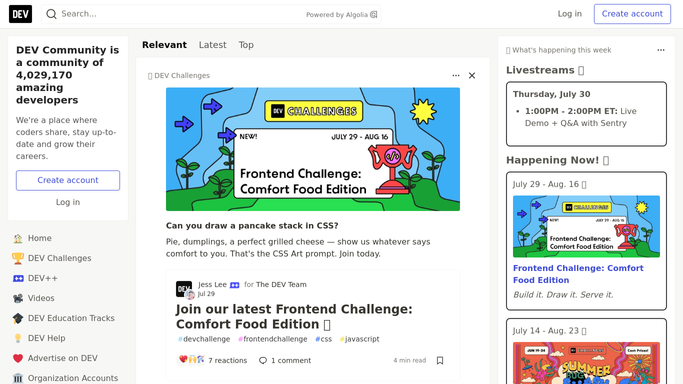
WebRun opens DEV Community to read new comments on your posts. - Open DEV Community and review comments on your posts since yesterday
- Note the commenter, the post, and the question or point raised
- Flag anything that reads like a question needing a real answer
Done when Every new comment since yesterday has been reviewed.
-
2
Airtable - log every comment
airtable.com How to Automate Airtable

WebRun opens Airtable to log every comment. - Open the comment tracker base in Airtable
- Add a record for each comment with the post title and a link
- Mark whether it needs a reply or is just a reaction
Done when Every new comment is logged in the Airtable tracker.
-
3
Notion - route a draft reply to a teammate
notion.so How to Automate Notion

WebRun opens Notion to route a draft reply to a teammate. - Open the reply handoff page in Notion
- Draft a suggested, technically accurate reply for each comment needing one
- Assign it to a teammate. WebRun never posts on DEV Community itself
Done when Every comment needing a reply has a draft assigned to a teammate in Notion.
How is each run configured?
Secure by default
Connect once, stays signed in
WebRun signs in once and keeps each session in a persistent environment, so every run picks up right where it left off.
Every action is checked against this policy before it runs.
Questions, answered
Does WebRun reply to comments on DEV Community?
No. It only drafts a suggested reply and assigns it to a teammate in Notion. Posting the actual reply is always done by a person.
How does it decide which comments need a reply?
It reads each comment for a real question or technical point that deserves an answer, separating those from quick reactions that don't need one.
Does it cover comments on every post I've published?
Yes, it checks comments across all your published DEV Community posts each day, not just your most recent one.
Related templates
Put this on autopilot.
Turn it on in minutes - or have our team set it up for you.