Keep your Deno Deploy project registry accurate
Every morning, WebRun opens Deno Deploy, checks every project's latest deployment status, reconciles that against an Airtable registry of projects your team is supposed to be running, and updates a Notion deployment log page noting any project that failed to deploy or is missing from the registry entirely.
- No credit card
- Under $0.01 per run
- Cancel anytime
How do I keep my Deno Deploy project registry in sync?
WebRun checks every Deno Deploy project every morning for its latest deployment status, reconciling that against an Airtable project registry. It updates a Notion deployment log noting any project that failed to deploy or is missing from the registry, so the record of what's actually running never quietly drifts out of date.
- The project registry never drifts out of sync with what actually exists
- Failed deployments get noticed the next morning, not weeks later
- Deployment health is visible on one page instead of scattered per project
Built for platform teams · DevOps · backend engineering teams · software engineering teams
What does WebRun do on every run?
The exact actions WebRun takes, in order - in plain language, so you can adjust anything.
-
WebRun signs in and gets to work
Opens
dash.deno.comin a real browser with your saved login - no setup, no API keys. -
1
Deno Deploy - check each project's latest deployment
deno.com
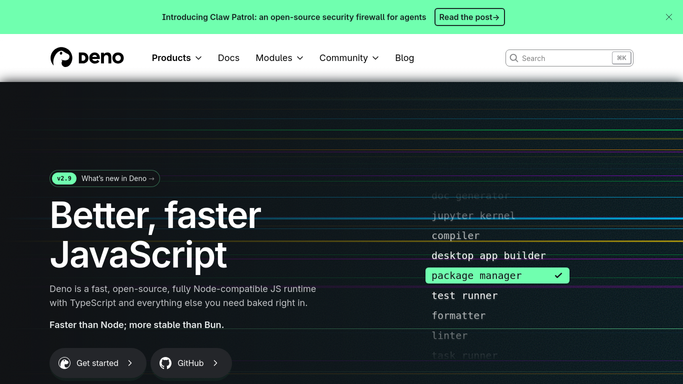
WebRun opens Deno Deploy to check each project's latest deployment. - Open Deno Deploy and list every project with its latest deployment status
- Capture the deployment time and status for each
- Flag any project whose latest deployment failed
Done when Every project is listed with its latest deployment status.
-
2
Airtable - reconcile against the project registry
airtable.com How to Automate Airtable

WebRun opens Airtable to reconcile against the project registry. - Reconcile the live project list against the Airtable project registry
- Add any project found in Deno Deploy but missing from the registry
- Flag any registry entry whose project no longer exists
Done when The Airtable registry matches the projects that actually exist in Deno Deploy.
-
3
Notion - update the deployment log
notion.so How to Automate Notion

WebRun opens Notion to update the deployment log. - Update the deployment log page with each project's current status
- List projects with a failed deployment separately
- Keep the page as the current source of truth for deployment health
Done when The Notion page reflects every project's current deployment status.
How is each run configured?
Secure by default
Connect once, stays signed in
WebRun signs in once and keeps each session in a persistent environment, so every run picks up right where it left off.
Every action is checked against this policy before it runs.
Questions, answered
Will it redeploy or roll back a project?
No. WebRun only reports and reconciles records. Redeploying or rolling back is always a decision your team makes in Deno Deploy.
What if a new project was added outside Airtable?
It gets added to the Airtable registry automatically on the next run, so the registry never falls behind what actually exists.
How fast does a failed deployment get noticed?
The morning after it happens, since every project's latest status is checked each day.
Related templates
Put this on autopilot.
Turn it on in minutes - or have our team set it up for you.