End the day with no message left unanswered
Every night, WebRun opens Delta Chat, reads every chat and group, finds the ones where the last message came from the other side with no reply since, records how long each has been waiting, texts you through Twilio if anything is urgent, and posts the full list to Telegram.
- 7-day free trial
- Under $0.01 per run
- Cancel anytime

What does WebRun do on every run?
The exact actions WebRun takes, in order - in plain language, so you can adjust anything.
-
WebRun signs in and gets to work
Opens
delta.chatin a real browser with your saved login - no setup, no API keys. -
1
Delta Chat - find chats waiting on a reply
delta.chat

WebRun opens Delta Chat to find chats waiting on a reply. - Open Delta Chat and go through the chat list including groups
- Find every conversation where the last message came from the other person
- Record the contact, the time of that message, and how many hours it has waited
- Include unread messages and check archived chats for anything still open
- Never reply, mark as read, or archive a chat. WebRun reads and reports only
Done when Every chat waiting on a reply is listed with the contact and the hours waited.
-
2
Telegram - post the end of day waiting list
telegram.org How to Automate Telegram
WebRun opens Telegram to post the end of day waiting list. - Post the end of day waiting list to your internal Telegram channel
- Order it by how long each person has waited, longest first
- Show the first line of the unanswered message so the topic is obvious
- Separate group chats from one to one conversations
Done when The team has tonight's unanswered list in Telegram.
-
3
Twilio - text you about the oldest one
twilio.com How to Automate Twilio
WebRun opens Twilio to text you about the oldest one. - Draft a short SMS when a chat has been waiting longer than your threshold
- Send it to the on-duty number only, through your Twilio account
- Name the contact and the hours waited so the person on duty can act
- Never text the waiting contact. The alert goes to your team
Done when Whoever is on duty knows about the oldest unanswered message.
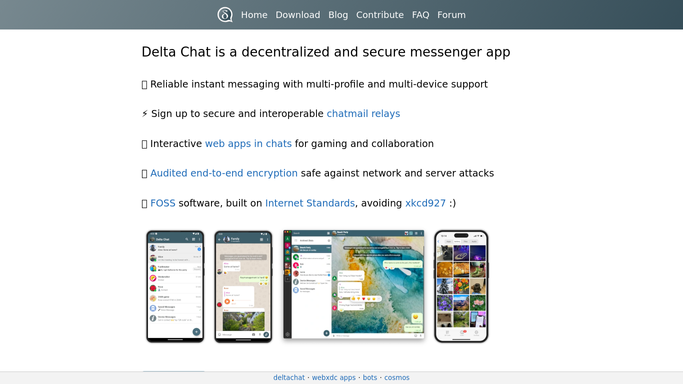


How do I find chat messages nobody has replied to?
WebRun sweeps Delta Chat every evening. It finds every chat and group where the last message came from the other side with no reply since, records how long each has waited, posts the ordered waiting list to Telegram, and texts the on-duty number about anything past your threshold.
- No customer question sits unread overnight
- The longest wait is always at the top of the list
- Every reply is still written by a human, never auto-sent
Built for support teams · small businesses · community managers · on-call staff
How is each run configured?
Secure by default
Connect once, stays signed in
WebRun signs in once and keeps each session in a persistent environment, so every run picks up right where it left off.
Every action is checked against this policy before it runs.
Questions, answered
Will it reply to anyone for me?
No. WebRun never sends a message in Delta Chat, never marks a chat read, and never archives one. It reads the conversation list and reports who is waiting, and a human writes every reply.
How does it decide a chat is unanswered?
The last message in the thread came from the other side and no message from you has followed it. That works for one to one chats and groups alike, and it counts the hours since that message arrived.
Can it warn me before the end of the day?
Yes. Set an hours-waited threshold and the Twilio text fires as soon as a chat crosses it, so an urgent customer question does not have to wait for the nightly sweep.
Related templates
Put this on autopilot.
Turn it on in minutes - or have our team set it up for you.