Track new teammate setup on Delta Chat
When a new teammate joins, WebRun opens Delta Chat to confirm their email based chat profile is set up and added to the right team groups, logs each setup step to Airtable as it's completed, and links back to the Notion onboarding guide so nothing gets missed.
- No credit card
- Under $0.01 per run
- Cancel anytime
How do I track new teammate setup for Delta Chat?
WebRun checks a new teammate's Delta Chat setup whenever someone joins, confirming their encrypted, email based profile is verified and added to the right team groups. It updates an Airtable onboarding tracker with each completed step and links the Notion setup guide, so new hires get chat access without anyone chasing a manual checklist.
- New teammates get verified chat access without a manual checklist
- Onboarding gaps are flagged with an owner instead of going unnoticed
- The setup guide and the tracker stay in sync
Built for IT and ops teams · Remote-first companies · Privacy-focused teams · People operations
What does WebRun do on every run?
The exact actions WebRun takes, in order - in plain language, so you can adjust anything.
-
WebRun signs in and gets to work
Opens
delta.chatin a real browser with your saved login - no setup, no API keys. -
1
Delta Chat - confirm chat profile is set up
delta.chat
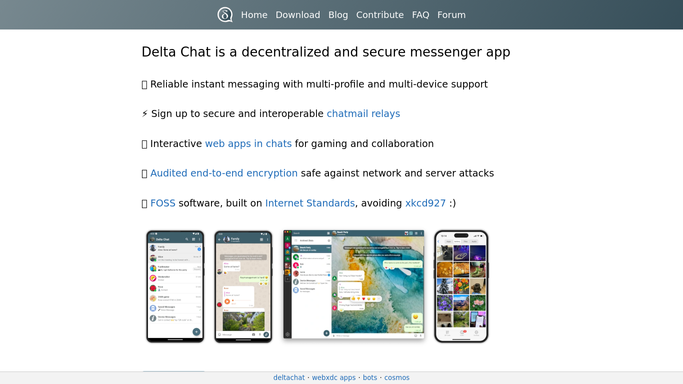
WebRun opens Delta Chat to confirm the chat profile is set up. - Open Delta Chat and confirm the new teammate's profile is verified
- Check they've been added to the right team chat groups
- Note any group they're still missing
Done when The teammate's Delta Chat profile and group access are confirmed.
-
2
Airtable - track checklist progress
airtable.com How to Automate Airtable

WebRun opens Airtable to track checklist progress. - Open the onboarding tracker base
- Check off each completed setup step for the teammate
- Flag any step still outstanding with an owner
Done when The onboarding tracker shows current status for every step.
-
3
Notion - reference the onboarding guide
notion.so How to Automate Notion

WebRun opens Notion to reference the onboarding guide. - Open the onboarding guide in Notion
- Confirm the guide's group list still matches what's in Delta Chat
- Share the guide link back to the checklist
Done when The onboarding guide is confirmed current and linked.
How is each run configured?
Secure by default
Connect once, stays signed in
WebRun signs in once and keeps each session in a persistent environment, so every run picks up right where it left off.
Every action is checked against this policy before it runs.
Questions, answered
Does WebRun create the teammate's Delta Chat account?
No. It only checks that an existing account is verified and added to the right groups. Creating the account is still done by your team.
What happens if a setup step is missing?
WebRun flags it in the Airtable tracker with an owner, so someone follows up instead of the gap going unnoticed.
Where do new hires find the setup guide?
In Notion. WebRun keeps the checklist pointed at the same guide, so the reference and the tracker never drift apart.
Related templates
Put this on autopilot.
Turn it on in minutes - or have our team set it up for you.