Automated Daum Mail Morning Inbox Brief
Every morning, WebRun opens Daum Mail, reads everything that arrived overnight, separates the messages that genuinely need a reply from newsletters and notifications, sends you a short WhatsApp brief ranked by urgency, and drafts a reply in Gmail for the two or three most urgent threads so you only have to read, edit and send.
How do I get a summary of my overnight email each morning?
WebRun reads your overnight Daum Mail every morning and sorts it into what needs a reply, what needs an action and what needs nothing. It sends you a ranked WhatsApp brief naming senders and deadlines, then drafts replies to the two or three most urgent threads in Gmail for you to send.
- You know what the inbox needs before you open it
- Senders on their second unanswered message get flagged by name
- The urgent replies are already drafted, so responding takes minutes
Built for business owners · consultants · busy executives · freelancers
What does WebRun do on every run?
The exact actions WebRun takes, in order - in plain language, so you can adjust anything.
-
WebRun signs in and gets to work
Opens
mail.daum.netin a real browser with your saved login - no setup, no API keys. -
1
Daum Mail - read overnight mail
daum.net
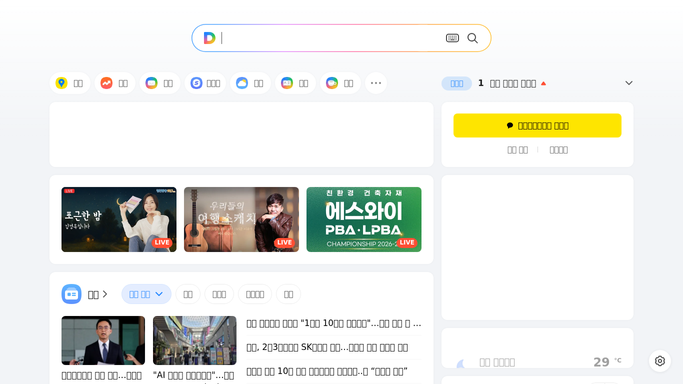
WebRun opens Daum Mail to read overnight mail. - Open Daum Mail and read every message received since your last run
- For each one capture the sender, subject, arrival time and a one line summary of what it asks
- Sort messages into three groups: needs a reply, needs an action but not a reply, and no action needed
- Push newsletters, receipts, marketing and system notifications into the no action group
- Flag anything where the sender has now written twice with no reply from you
- Note any message with a stated deadline in the next 48 hours
Done when Every overnight message is summarised and sorted into needs a reply, needs an action, or no action.
-
2
WhatsApp - send you the ranked brief
whatsapp.com

WebRun opens WhatsApp to send you the ranked brief. - Send yourself a short WhatsApp brief with the count in each group
- List the messages needing a reply first, one line each: who, what they want and any deadline
- Mark the senders who have written twice with no answer
- Finish with a single count of the no action mail so you know it was read and nothing was missed
Done when You have this morning's ranked inbox brief on WhatsApp.
-
3
Gmail - draft the urgent replies
gmail.com

WebRun opens Gmail to draft the urgent replies. - Open Gmail and write a draft reply for the most urgent threads, usually two or three
- Match your usual tone and answer the actual question rather than acknowledging receipt
- Quote the relevant line from the original message so the context is clear
- Leave every reply unsent in drafts for you to review, edit and send. WebRun never sends mail on its own and never deletes a message
Done when Drafted replies for the urgent threads are waiting in Gmail for your review.
How is each run configured?
Secure by default
Connect once, stays signed in
WebRun signs in once and keeps each session in a persistent environment, so every run picks up right where it left off.
Every action is checked against this policy before it runs.
Questions, answered
Will it send email replies without me?
No. Every reply is left unsent in Gmail drafts. WebRun writes the draft, you read it, edit it and click send. It also never deletes, archives or moves a message in Daum Mail.
How does it decide what is urgent?
Three signals: a stated deadline inside the next 48 hours, a sender who has now written twice with no reply from you, and a direct question asked of you personally. Newsletters and notifications never qualify.
Does it read the whole inbox every morning?
No, only what arrived since the last run. Older mail you already handled stays untouched, so the brief covers the overnight period rather than repeating yesterday's list.
Related templates
Put this on autopilot.
Turn it on in minutes - or have our team set it up for you.