Draft a promo to fill your slowest cryo hours
Every Monday, WebRun opens HelmBot, finds last week's quietest booking windows by hour, drafts a Mailchimp promo offering a discount for those specific hours, and logs the promo and its fill rate to a Google Sheet so you can see what actually moves bookings.
- No credit card
- Under $0.01 per run
- Cancel anytime
What does WebRun do on every run?
The exact actions WebRun takes, in order - in plain language, so you can adjust anything.
-
WebRun signs in and gets to work
Opens
app.helmbot.comin a real browser with your saved login - no setup, no API keys. -
1
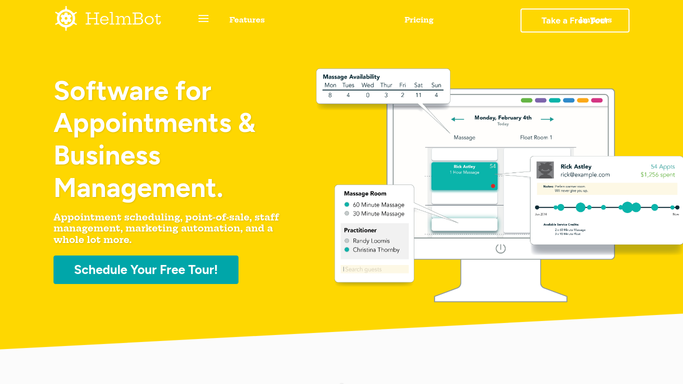
HelmBot - find the slowest booking windows
helmbot.com How to Automate HelmBot

WebRun opens HelmBot to find the slowest booking windows. - Open HelmBot and pull last week's session counts by hour and day
- Rank each booking window from quietest to busiest
- Identify the 3 to 4 windows furthest below your average utilization
Done when The week's quietest booking windows are ranked with their session counts.
-
2
Mailchimp - draft the off peak promo
mailchimp.com How to Automate Mailchimp
WebRun opens Mailchimp to draft the off peak promo. - Draft a promo email naming the specific quiet windows and a discount for booking them
- Target members who have booked during those hours before
- Save the campaign as a draft, do not schedule or send it automatically
Done when A reviewed, unsent promo draft exists in Mailchimp naming this week's quiet windows.
-
3
Google Sheets - log the promo and fill results
google.com How to Automate Google Sheets
WebRun opens Google Sheets to log the promo and fill results. - Log this week's promo windows and the discount offered
- Once the prior week's promo has run, record how many of those slots actually filled
- Track the fill rate over time so you can see which windows respond to a promo
Done when The tracker sheet has this week's promo logged and last week's fill rate recorded.


How do I fill off peak cryotherapy session slots?
WebRun opens HelmBot every Monday, ranks last week's booking windows from quietest to busiest, and drafts a Mailchimp promo naming the specific off peak hours with a discount to fill them. It logs each promo and its fill rate to a Google Sheet, so your team reviews and sends a discount that targets real quiet time, not a guess.
- Discounts target real quiet hours, not a guess at slow times
- Promo drafts are ready every Monday without pulling a report
- Fill rate is tracked over time so you know what actually works
Built for cryotherapy studio owners · marketing coordinators · multi-location cryo studios · studio managers
How is each run configured?
Secure by default
Connect once, stays signed in
WebRun signs in once and keeps each session in a persistent environment, so every run picks up right where it left off.
Every action is checked against this policy before it runs.
Questions, answered
Will the promo email send without anyone reviewing it?
No. WebRun drafts the weekly promo in Mailchimp and leaves it there for your team to review, edit, and schedule, it never sends or schedules a campaign on its own.
How does it pick which hours to promote?
It ranks last week's actual session counts by hour and targets the windows furthest below your average utilization, so the promo goes after real quiet time, not a guess.
How do I know if the promo is working?
The Google Sheet logs each week's promo alongside the fill rate once it runs, so you can see over time which quiet windows actually respond to a discount.
Related templates
Put this on autopilot.
Turn it on in minutes - or have our team set it up for you.