Stay ahead of cryo chamber maintenance
Every night, WebRun opens HelmBot, totals how many session cycles each cryo chamber ran that day, logs the running total against the manufacturer's recommended service interval in a Google Sheet, and pings your ops team on Telegram the moment a chamber crosses the threshold.
- No credit card
- Under $0.01 per run
- Cancel anytime
What does WebRun do on every run?
The exact actions WebRun takes, in order - in plain language, so you can adjust anything.
-
WebRun signs in and gets to work
Opens
app.helmbot.comin a real browser with your saved login - no setup, no API keys. -
1
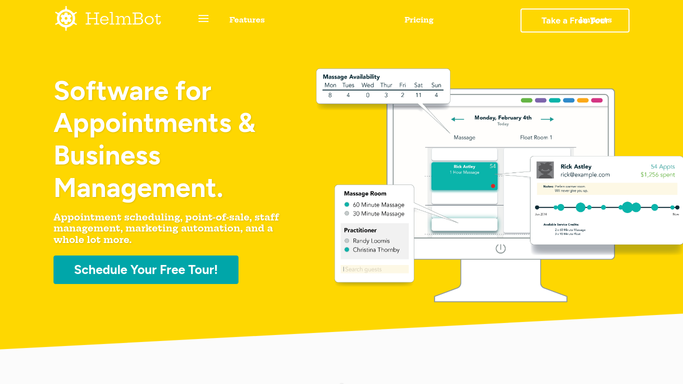
HelmBot - total each chamber's session cycles
helmbot.com How to Automate HelmBot

WebRun opens HelmBot to total each chamber's session cycles. - Open HelmBot and pull today's completed sessions by chamber
- Total the session cycles run on each chamber today
- Note which chamber, if any, is at a multi-location site
Done when Today's cycle count is captured for every cryo chamber.
-
2
Google Sheets - log cycles against the service schedule
google.com How to Automate Google Sheets
WebRun opens Google Sheets to log cycles against the service schedule. - Open the Chamber Maintenance tracker sheet
- Add today's cycle count to each chamber's running total since its last service
- Compare the running total to the manufacturer's recommended service interval
Done when Every chamber's running total is updated and compared against its service interval.
-
3
Telegram - alert the ops team
telegram.org How to Automate Telegram
WebRun opens Telegram to alert the ops team. - Alert the ops team when a chamber's running total crosses 90 percent of its service interval
- Name the chamber, its location, and cycles remaining before service is due
Done when The ops team is alerted for any chamber approaching or past its service interval.


How do I know when a cryotherapy chamber needs service?
WebRun opens HelmBot every night, totals how many session cycles each cryo chamber ran that day, and logs the running total against the manufacturer's recommended service interval in a Google Sheet. Once a chamber crosses the threshold, it alerts your ops team on Telegram with the chamber, location, and cycles remaining, so service never sneaks up on you.
- Chambers get serviced on schedule instead of after a breakdown
- Ops team is alerted before the manufacturer's interval is exceeded
- Every chamber is tracked separately across multiple locations
Built for cryotherapy studio owners · facilities and ops teams · multi-location cryo studios · equipment managers
How is each run configured?
Secure by default
Connect once, stays signed in
WebRun signs in once and keeps each session in a persistent environment, so every run picks up right where it left off.
Every action is checked against this policy before it runs.
Questions, answered
Does it book the service technician automatically?
No. WebRun only tracks cycle counts and alerts your ops team on Telegram, scheduling and confirming the technician visit is left entirely to your team.
What triggers a service alert?
By default, a chamber crossing 90 percent of the manufacturer's recommended service interval since its last service. The threshold can be adjusted in your run settings.
Does it track more than one chamber or location?
Yes. Every chamber in HelmBot is tracked and logged separately, so a multi-location studio gets one running total per chamber, not a blended average.
Related templates
Put this on autopilot.
Turn it on in minutes - or have our team set it up for you.