Win back members who have gone quiet
Every Monday, WebRun opens HelmBot, finds members who have not booked a session in 45 days, drafts a friendly win back text offer in Twilio for each one, and posts the full dormant list to Telegram so your membership team always has this week's follow up ready.
- No credit card
- Under $0.01 per run
- Cancel anytime
What does WebRun do on every run?
The exact actions WebRun takes, in order - in plain language, so you can adjust anything.
-
WebRun signs in and gets to work
Opens
app.helmbot.comin a real browser with your saved login - no setup, no API keys. -
1
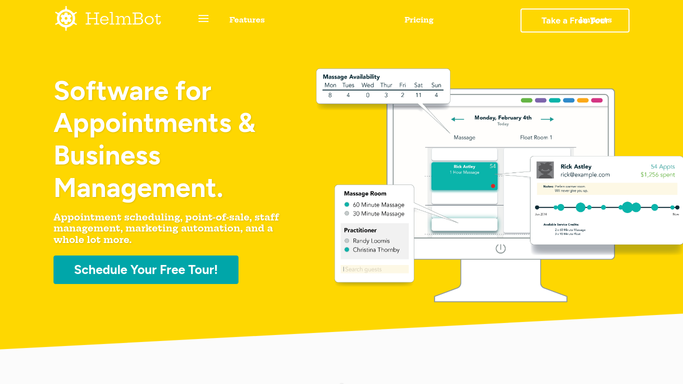
HelmBot - find members who have gone quiet
helmbot.com How to Automate HelmBot

WebRun opens HelmBot to find members who have gone quiet. - Open HelmBot and pull each active member's last visit date
- Filter to members with no booked or completed session in the last 45 days
- Capture their plan, last visit date, and past favorite session type
Done when Every member dormant for 45 days or more is listed with their plan and last visit.
-
2
Twilio - draft a win back text offer
twilio.com How to Automate Twilio
WebRun opens Twilio to draft a win back text offer. - Draft a short, friendly text offering a return incentive tied to their favorite session type
- Personalize it with how long it has been since their last visit
- Queue the draft for the membership team to review and send, do not send it automatically
Done when A queued, unsent text draft exists in Twilio for every dormant member.
-
3
Telegram - alert the membership team
telegram.org How to Automate Telegram
WebRun opens Telegram to alert the membership team. - Post the full dormant list to the membership team, longest absent members first
- Note anyone dormant for over 90 days as a priority save
Done when The membership team has this week's dormant list ranked by how long they have been away.


How do I win back cryotherapy members who have stopped booking?
WebRun opens HelmBot every Monday, finds members with no booked or completed session in 45 days, and drafts a personalized win back text offer in Twilio tied to their favorite session type. It posts the full dormant list to Telegram ranked by how long they have been away, so your membership team follows up before they quietly cancel.
- Quiet members hear from you before they quietly cancel
- Win back offers are personalized to what they used to book
- Members who rebook drop off the list automatically
Built for cryotherapy studio owners · membership teams · multi-location cryo studios · retention coordinators
How is each run configured?
Secure by default
Connect once, stays signed in
WebRun signs in once and keeps each session in a persistent environment, so every run picks up right where it left off.
Every action is checked against this policy before it runs.
Questions, answered
Will dormant members get a text without approval?
No. WebRun drafts each win back text in Twilio and queues it for the membership team to review and send, nothing goes out unattended.
How is a dormant member defined?
By default, no booked or completed session in 45 days. The window can be adjusted in your run settings to match how often your members typically visit.
What if a member books a session before the text goes out?
It reads the live booking history in HelmBot each Monday, so anyone who rebooks in the meantime drops off the dormant list automatically.
Related templates
Put this on autopilot.
Turn it on in minutes - or have our team set it up for you.