Turn happy members into review requests
Every morning, WebRun opens HelmBot, finds members who just completed their fifth session with no complaint or refund on file, drafts a genuine review request in Gmail, and logs each ask to a Google Sheet so the same member never gets asked twice.
- No credit card
- Under $0.01 per run
- Cancel anytime
What does WebRun do on every run?
The exact actions WebRun takes, in order - in plain language, so you can adjust anything.
-
WebRun signs in and gets to work
Opens
app.helmbot.comin a real browser with your saved login - no setup, no API keys. -
1
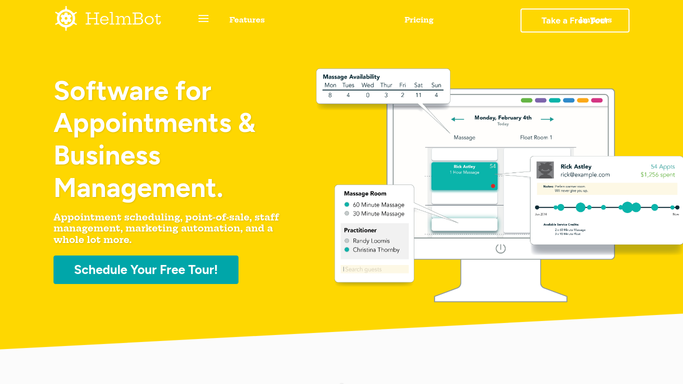
HelmBot - find members hitting a visit milestone
helmbot.com How to Automate HelmBot

WebRun opens HelmBot to find members hitting a visit milestone. - Open HelmBot and filter yesterday's completed sessions
- Find members who just reached their 5th completed session
- Exclude anyone with a complaint, refund, or support ticket on file
Done when Every qualifying member is listed with their session count and standing.
-
2
Gmail - draft the review request
gmail.com How to Automate Gmail
WebRun opens Gmail to draft the review request. - Draft a short, genuine review request naming the member and their favorite session type
- Include a direct link to your Google Business review page
- Save each request as a draft, do not send any of them automatically
Done when A reviewed, unsent draft exists in Gmail for every qualifying member.
-
3
Google Sheets - log who has been asked
google.com How to Automate Google Sheets
WebRun opens Google Sheets to log who has been asked. - Open the Review Requests tracker sheet
- Log each member asked, with today's date, so they are not asked again
Done when The tracker sheet reflects every member asked today, with no member logged twice.


How do I get more reviews from happy cryotherapy members?
WebRun checks HelmBot every morning for members who just completed their fifth session with no complaint or refund on file, and drafts a genuine review request in Gmail with a direct link to your review page. Each ask is logged to a Google Sheet, so your team reviews and sends it, and nobody is ever asked twice.
- Review requests go to members most likely to say yes
- No member is ever asked for a review twice
- Reviews accumulate steadily without a manual outreach list
Built for cryotherapy studio owners · marketing coordinators · multi-location cryo studios · front desk staff
How is each run configured?
Secure by default
Connect once, stays signed in
WebRun signs in once and keeps each session in a persistent environment, so every run picks up right where it left off.
Every action is checked against this policy before it runs.
Questions, answered
Will review requests go out without approval?
No. WebRun drafts each request in Gmail and leaves it unsent, a staff member reviews and sends it before any member sees it.
How does it decide who to ask?
It looks for members who just completed their fifth session in HelmBot with no complaint, refund, or open support ticket on file, so requests only go to members who are actually likely to be happy.
Could the same member get asked more than once?
No. The Google Sheet logs every member already asked, so WebRun checks that log first and skips anyone already on it.
Related templates
Put this on autopilot.
Turn it on in minutes - or have our team set it up for you.