Keep your lending team in sync with a daily loan pipeline status digest
Every morning, WebRun opens MeridianLink, reads the status of every open loan application across all stages from submitted to funded, builds a pipeline summary grouped by stage and loan type, posts the digest to the lending team Slack channel, and sends an SMS via Twilio to the lending manager if any applications have been waiting in a stage for more than 3 business days.
- No credit card
- Under $0.01 per run
- Cancel anytime
What does WebRun do on every run?
The exact actions WebRun takes, in order - in plain language, so you can adjust anything.
-
WebRun signs in and gets to work
Opens
app.meridianlink.comin a real browser with your saved login - no setup, no API keys. -
1
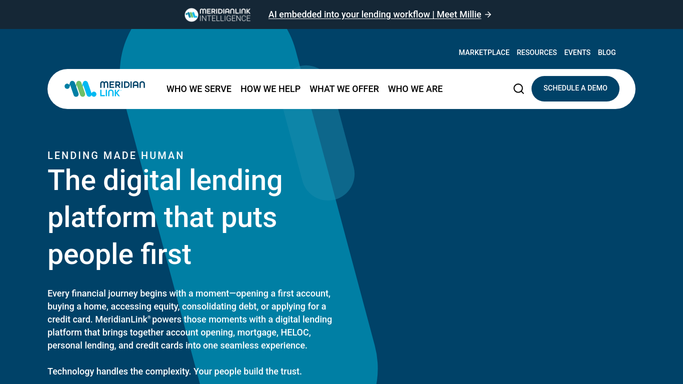
MeridianLink - read all open application statuses and aging
meridianlink.com How to Automate MeridianLink

WebRun opens MeridianLink to read all open application statuses and aging. - Open MeridianLink and navigate to the loan origination pipeline view
- Pull all open applications and their current stage: submitted, processing, underwriting, approved, conditionally approved, closing, funded
- Capture the application ID, member name, loan type, amount, and days in current stage for each
- Flag any application that has been in the same stage for more than 3 business days
Done when All open applications are listed with stage, loan type, amount, and days in stage.
-
2
Slack - post pipeline status digest to lending channel
slack.com How to Automate Slack
WebRun opens Slack to post pipeline status digest to lending channel. - Post a pipeline status digest to the lending team Slack channel
- Group applications by stage with counts and total dollar volume per stage
- List stalled applications (over 3 days in one stage) separately and flagged
- Include total applications in pipeline and total volume for a quick snapshot
Done when The lending team has a complete pipeline stage digest in Slack with stalled applications flagged.
-
3
Twilio - send SMS alert for applications stalled over 3 days
twilio.com How to Automate Twilio
WebRun opens Twilio to send SMS alert for applications stalled over 3 days. - Check if any application has been stalled in a stage for more than 3 business days
- If yes, send an SMS via Twilio to the lending manager with the count of stalled applications and the stage they are stuck in
- If no applications are stalled, skip the SMS for that run
Done when The lending manager receives an SMS alert if any application is stalled, or no SMS is sent if the pipeline is moving normally.


How can a credit union automatically track and report loan application pipeline status each day?
Every morning, WebRun reads every open loan application in MeridianLink, groups them by stage and loan type, and posts a pipeline digest to the lending team Slack channel. If any application has been stuck in a stage for more than 3 business days, it sends the lending manager an SMS via Twilio so stalled deals are addressed before they delay members.
- The lending team starts every day with a live pipeline snapshot in Slack
- Stalled applications are flagged by SMS before they delay member funding
- Total pipeline volume and stage counts are visible without opening MeridianLink manually
Built for credit union lending managers · loan officers · consumer and mortgage lending teams
How is each run configured?
Secure by default
Connect once, stays signed in
WebRun signs in once and keeps each session in a persistent environment, so every run picks up right where it left off.
Every action is checked against this policy before it runs.
Questions, answered
Will it notify applicants about their application status?
No. The digest and the SMS go only to internal lending staff. No status update is sent to the loan applicant. All applicant communication remains the responsibility of the lending officer.
What counts as a stalled application?
Any application that has been in the same stage for more than 3 consecutive business days without a status change in MeridianLink. You can adjust this threshold in the run configuration.
Can it cover multiple branches or only one lending pipeline?
WebRun reads the full MeridianLink pipeline and can filter by branch, loan type, or officer assignment. You configure the scope once and the digest reflects exactly the view your team needs.
Related templates
Put this on autopilot.
Turn it on in minutes - or have our team set it up for you.