Flag OSHA non-compliant cranes the moment they fail
When an inspection is completed in InspectAll, WebRun reads the results for any crane that failed a required OSHA 1910.179 or ASME B30.2 check, captures the specific failed item and the standard it breaches, and posts your safety channel an internal Slack flag so an out-of-compliance crane is never left in service unnoticed.
- No credit card
- Under $0.01 per run
- Cancel anytime
What does WebRun do on every run?
The exact actions WebRun takes, in order - in plain language, so you can adjust anything.
-
WebRun signs in and gets to work
Opens
www.inspectall.comin a real browser with your saved login - no setup, no API keys. -
1
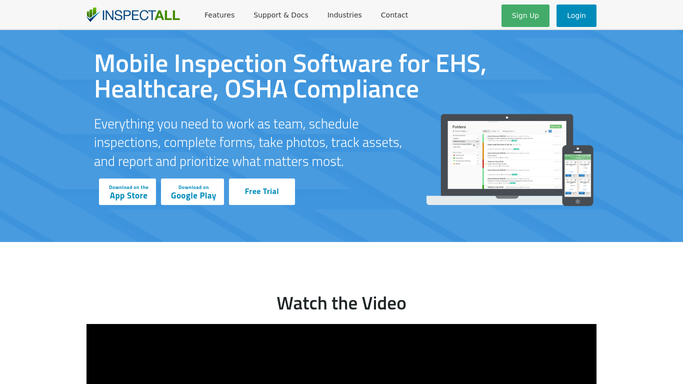
InspectAll - find OSHA compliance failures
inspectall.com How to Automate InspectAll

WebRun opens InspectAll to find cranes that failed an OSHA or ASME check. - Open the completed inspection in InspectAll for the crane asset
- Identify any item that failed a required OSHA 1910.179 or ASME B30.2 check
- Capture the crane serial number, the failed item, and the standard or code it breaches
Done when Every OSHA or ASME non-compliance on the inspection is captured with its crane and the standard it breaches.
-
2
Slack - flag the safety channel
slack.com How to Automate Slack
WebRun posts an OSHA non-compliance flag to your safety channel in Slack. - Post a clear flag to the safety channel naming the crane, site, and failed item
- State the OSHA or ASME standard breached and whether the unit should be taken out of service
- Leave the flag as an internal notice for your safety lead to action. Never contact the customer or a regulator directly
Done when The safety channel has an internal Slack flag for every non-compliant crane from the inspection.

How do I get alerted when a crane fails an OSHA inspection?
When an inspection is completed in InspectAll, WebRun reads the results for any crane that failed a required OSHA 1910.179 or ASME B30.2 check, captures the failed item and the standard breached, and posts your safety channel an internal Slack flag. It never contacts a regulator or customer, so your safety lead sees an out-of-compliance crane immediately and decides the next step.
- Failed cranes surface the moment an inspection closes
- Every flag names the exact OSHA or ASME standard breached
- No out-of-compliance crane is left in service unnoticed
Built for overhead crane service companies · safety leads · compliance managers · field-service teams
How is each run configured?
Secure by default
Connect once, stays signed in
WebRun signs in once and keeps each session in a persistent environment, so every run picks up right where it left off.
Every action is checked against this policy before it runs.
Questions, answered
Does it report the crane to OSHA or the customer?
No. WebRun only posts an internal Slack flag to your own safety channel. It never contacts a regulator or the customer. Your safety lead decides what to communicate and whether to take the unit out of service.
How does it know a crane is non-compliant?
It reads the completed inspection in InspectAll and picks up any item that failed a required OSHA 1910.179 or ASME B30.2 check, naming the exact failed item and the standard it breaches.
Is the flag posted automatically?
Yes, but only to your internal Slack safety channel, which is a private notice to your own team. Because nothing goes to a customer or regulator, WebRun can post it right away so a failing crane is surfaced immediately.
Related templates
Put this on autopilot.
Turn it on in minutes - or have our team set it up for you.